Microsoft Authenticator is ending support for its built-in password management feature starting in mid-2025. If you rely on it to save and autofill your login credentials, it’s critical to find an alternative solution soon to avoid losing access to your accounts. The key takeaway is that users must export their passwords and migrate to a new manager before the service is fully discontinued.
Contents
The End of the Microsoft Authenticator Password Manager
The Microsoft Authenticator app has served as a convenient tool, combining multi-factor authentication with a basic password manager. However, Microsoft has announced it will remove the password management capabilities, directing users instead towards the password features integrated into its Edge browser.
The phased shutdown begins in June 2025, when the app will stop saving new passwords. By July 2025, the autofill function will cease to work, and any saved financial information will be deleted. The final stage arrives in August 2025, when all saved passwords will become inaccessible and any unsaved generated passwords will be permanently deleted. This timeline means users have a limited window to act. It’s time to start exporting your passwords to prepare for this change.
 Screenshot of the Microsoft Authenticator app showing the passwords management section before its shutdown.
Microsoft’s official documentation encourages users to switch to the Edge browser’s built-in password manager. While no specific reason for the removal from Authenticator was provided, the move suggests a strategic push to consolidate features within their flagship browser, potentially encouraging Edge usage on mobile devices as well.
Considering Microsoft Edge’s Built-in Password Manager
Microsoft Edge is a capable browser and its integrated password manager offers the convenience of having credentials readily available where you log in most often. This can be particularly appealing if you follow best practices by using unique, complex passwords for every site.
However, relying solely on a browser-based password manager has significant drawbacks compared to dedicated password management solutions. While you can use browser-based password managers with a few precautions, they generally offer fewer features and potentially less robust security than specialized apps. Many security experts advise against using browser-based managers for critical passwords. Here’s why many avoid their browser’s password manager for primary password storage.
Finding a Secure Alternative: Dedicated Password Managers
With browser-based options having limitations, switching to a dedicated password manager is often the most secure and functional choice. There are many options available, ranging from free tiers to paid subscriptions, each with different feature sets. Explore the best password managers available today to find one that fits your needs.
One popular option is Proton Pass, which offers a free tier and robust features. Its autofill functionality is reliable on both desktop and mobile platforms, often confirming before filling credentials to prevent accidental logins. Beyond password management, Proton Pass also provides email aliases, which can help protect your primary email address when signing up for new services. The free version offers a limited number of aliases, which is sufficient for many users. Additionally, you can save custom fields alongside your login details for extra notes or information.
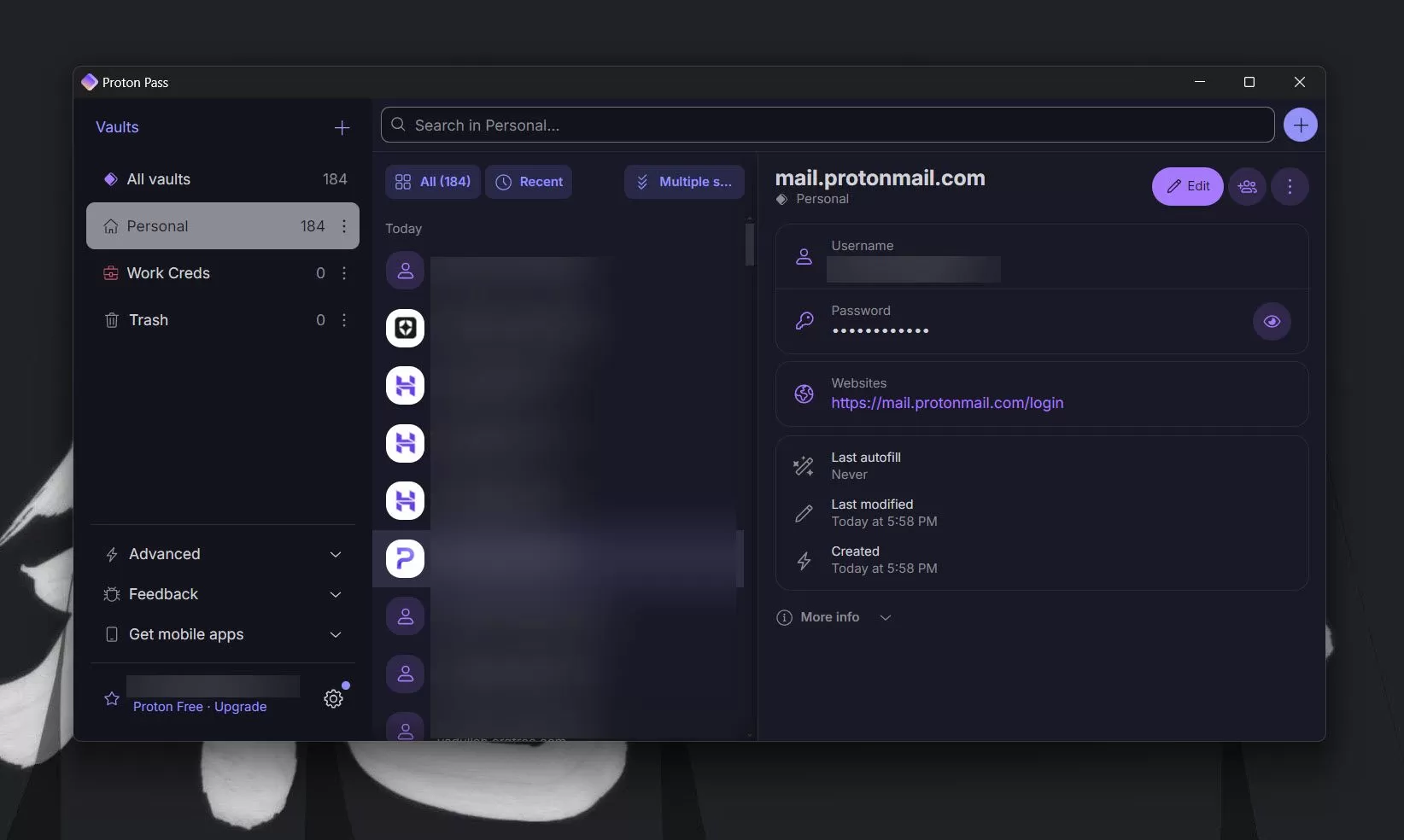 User interface of the Proton Pass desktop application, a recommended alternative password manager.
For those seeking advanced security features, Proton Pass subscriptions unlock capabilities like integrated two-factor authentication (2FA) generation, dark web monitoring to alert you if your credentials are found in breaches, and secure password sharing. While migrating existing 2FA setups can be a hassle, having these features consolidated in one app is a significant benefit for many. Users already invested in the Proton ecosystem (VPN, Mail, Drive) may find a subscription particularly cost-effective.
Other highly-regarded dedicated password managers include 1Password, Bitwarden, and Avira Password Manager. Each has unique strengths and features, so experimenting with a few might be necessary to find the best fit for your specific requirements before fully committing and transferring all your passwords.
Beyond simply storing logins, there are many other practical uses of password managers you might not know about, such as securing sensitive notes or personal information.
What’s Next? Prepare for the Switch
The upcoming shutdown of the Microsoft Authenticator password manager necessitates action from its users. Waiting until the last minute could result in lost passwords and access issues. Assess your current needs, explore dedicated password manager alternatives like Proton Pass, 1Password, or Bitwarden, and begin the process of exporting and importing your credentials. Choosing a robust, dedicated manager will not only replace the lost functionality but likely enhance your overall online security posture. Be proactive to ensure a smooth transition before the August 2025 deadline.