
Google Messages is getting a visual refresh, starting with a limited rollout of a new design based on Google’s modern Material 3 “Expressive” style. This update brings a cleaner, more modern look to your conversations, following similar redesigns seen recently in other Google apps like Gmail and Photos. While it’s only appearing for some users right now, it gives us a glimpse of what’s coming for everyone.
Contents
Here’s what’s changing: The chat interface gets a visual makeover, the ‘plus’ menu for sending attachments looks different, and even the emoji selector is getting tweaked for better usability.
 Google Messages app icon on an Android phone
What’s New with the Design?
The biggest change you’ll notice is how your message threads are displayed. Instead of stretching across the whole screen, the conversation now appears inside a container with nicely rounded corners at the top. This visually separates the chat area from the app bar at the top, which now sits on its own layer, often appearing in a slightly different shade. It creates a feeling of depth and makes the core conversation area pop a bit more.
This update is part of Google’s ongoing effort to bring its Material 3 design language, specifically the more playful and unique “Expressive” variant, across its apps. It focuses on rounded shapes, clearer separation of elements, and often uses subtle background differences.
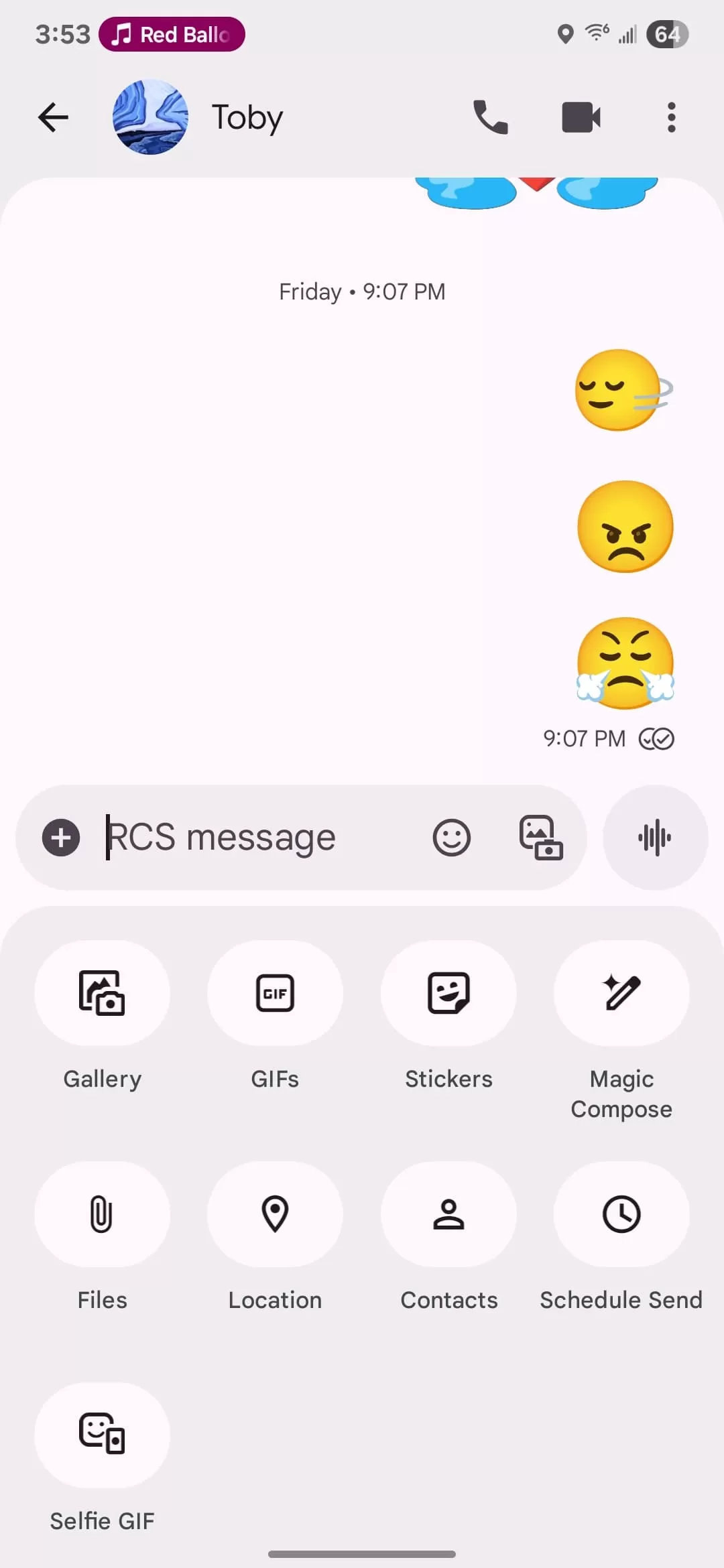 Google Messages chat screen with the new Material 3 rounded design
Updated Menus for Sharing and Emojis
The menus you use to add things to your messages are also getting a makeover. The ‘plus’ button, which opens options like Gallery, GIFs, and Stickers, now pops up a separate container. Inside this menu, the individual options are displayed in pill-shaped buttons instead of the previous circular icons. The density of these options has been reduced, making the menu look less crowded, and the colorful icons have been replaced with simpler monochrome ones.
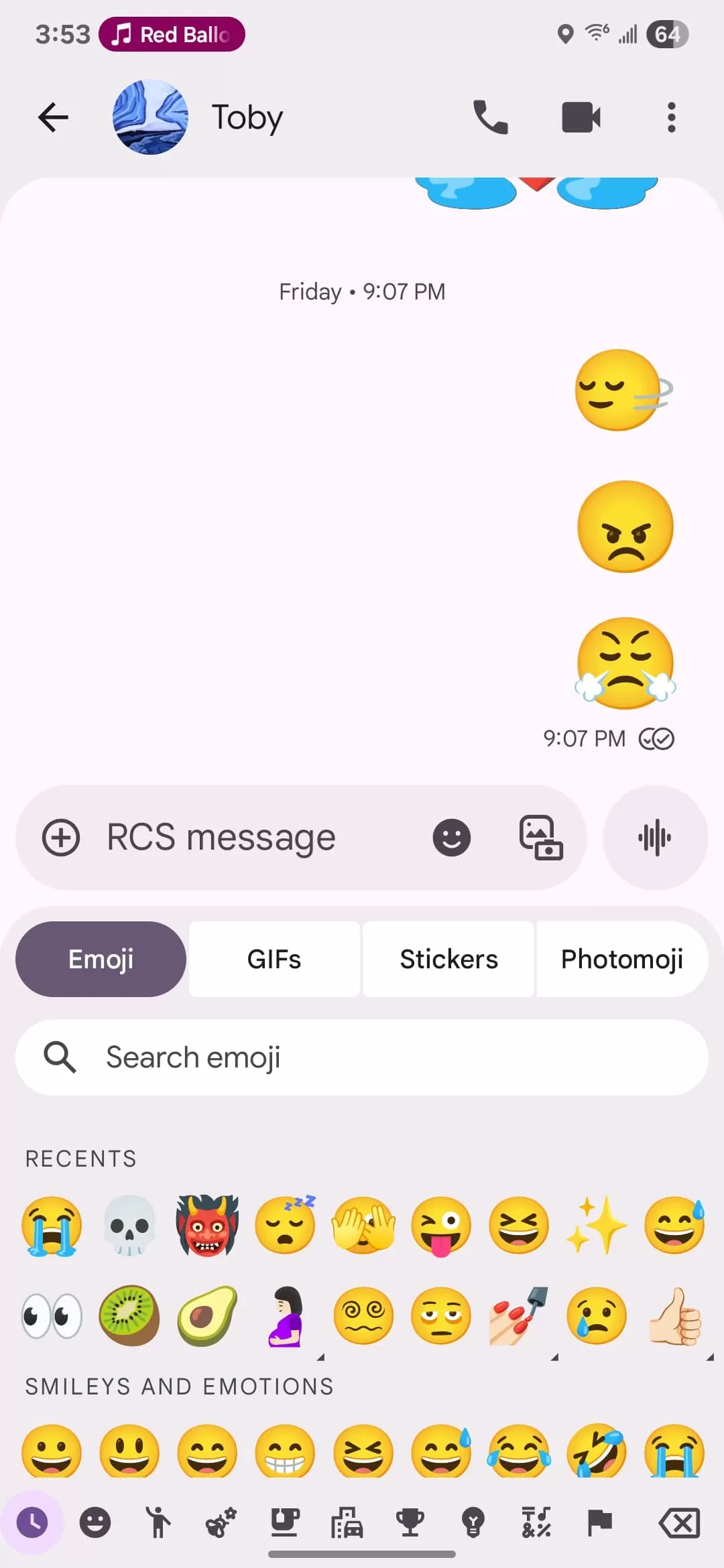 Updated 'plus' menu in Google Messages with pill-shaped icons for sharing media
When you open the emoji menu to pick an emoji, GIF, or sticker, you’ll see the tabs for switching between these categories grouped together in a single rounded container. The currently selected tab is highlighted inside a pill shape. A small but practical improvement is that the search bar within this menu has moved down one line, preventing it from being right next to another text field if you were typing a message beforehand.
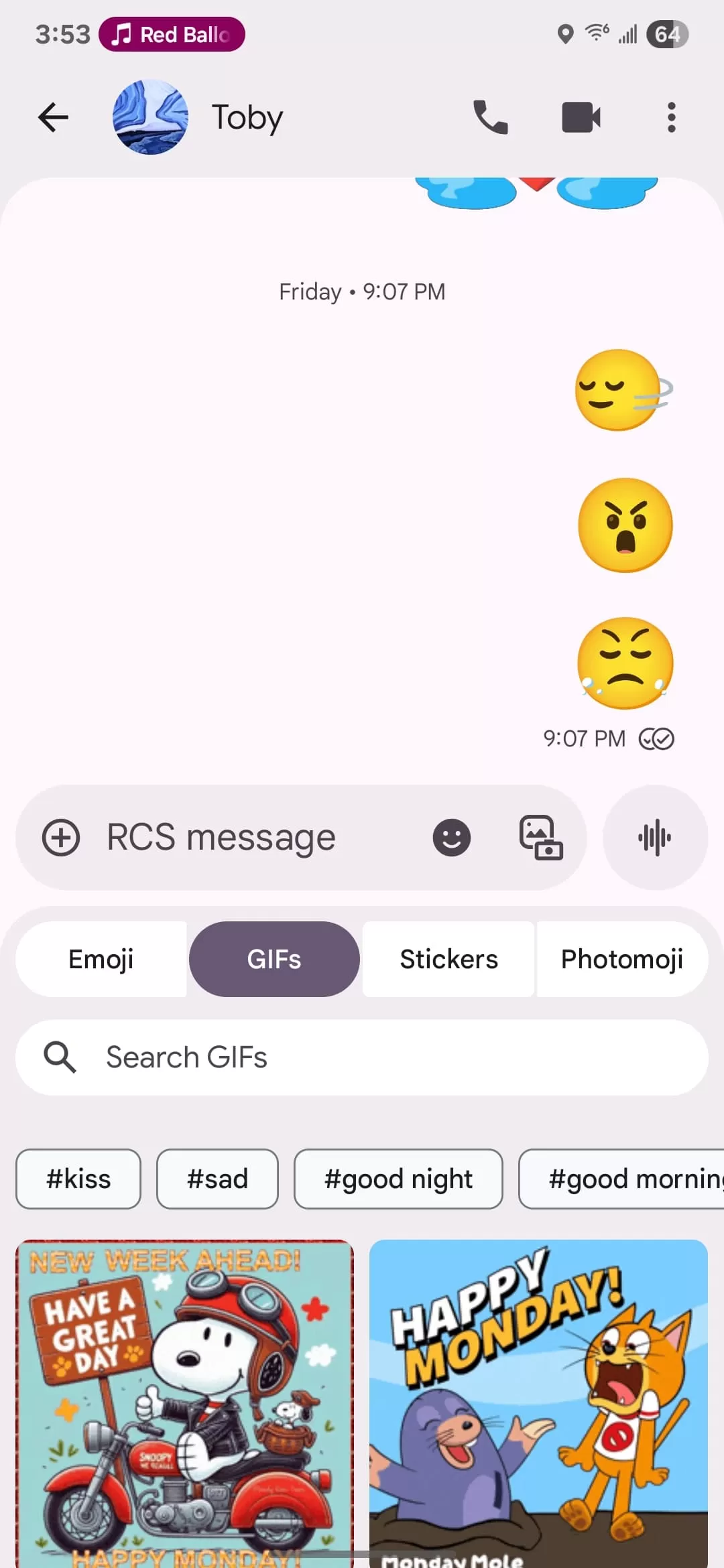 Google Messages emoji and sticker selector showing the new layout and search bar position
Who Is Seeing This Update?
Right now, this fresh design seems to be rolling out to a very small group of users. Reports indicate it’s appearing on the beta version (specifically beta version 20250528_00_RC00) of Google Messages, and so far, it’s primarily been spotted on the Samsung variant of the app. This means most users, even those on the beta program, are likely not seeing these changes yet.
What This Means for the Rollout
This limited initial release suggests that Google is taking a gradual approach to rolling out this new design. It’s common for major visual updates to start with a small percentage of users, often in beta versions or specific device variants, before a wider release. It also appears this redesign will be “piecemeal,” meaning different parts of the app (like the main homepage, settings, or search) might be updated separately over time, rather than everything changing at once. Based on Google Messages’ history, there can be a significant delay between a feature first appearing in beta and becoming widely available to everyone.
Looking Ahead
The start of this Material 3 Expressive rollout in Google Messages brings a modern and visually distinct feel to the chat experience. While most users will need to wait, these changes signal a clearer, more organized interface is on the horizon for one of Android’s most essential communication apps. Keep an eye out for these updates appearing on your device in the coming weeks or months.
Looking for more Google Messages tips or news? Check out our other articles on the app!






















