
Google is rolling out significant updates powered by its Gemini AI model, bringing powerful new features directly into Google Workspace apps like Drive and Forms. These updates are designed to cut down on manual work and help you get key information or create new documents much faster, leveraging artificial intelligence to handle tedious tasks. The main takeaways are automatic summaries for PDFs and Forms responses, plus an AI helper for creating new forms from scratch or existing documents.
Contents
Easily Digest PDFs in Google Drive
Imagine opening a long PDF in your Google Drive – like a report, a project proposal, or research papers – and instead of having to scroll and skim through pages, you get a quick summary right away. That’s exactly what the new Gemini feature does for PDFs.
When you open a PDF in Drive, Gemini will proactively generate a summary card. This gives you the main points at a glance. Even better, it suggests clickable actions based on the document’s content. For example, if it’s a resume, it might suggest “list interview questions.” If it’s a proposal, it could offer “draft a sample proposal.” Clicking these suggestions triggers Gemini in the side panel to perform the task using the document’s information. This is a massive time-saver compared to reading the entire file yourself and then manually drafting something new.
This feature is rolling out to Google Workspace users and supports over 20 languages. It started appearing for users on June 12th, but it might take a couple of weeks to reach everyone.
Quickly Understand Form Responses
Anyone who has sent out a Google Form and received dozens or hundreds of responses knows how time-consuming it can be to read through every single entry, especially for short-answer or paragraph questions. Google Forms is getting a Gemini boost to tackle this.
A new summary option will appear in the Responses tab of your Google Form. When you have more than three responses, Gemini can analyze the answers to short-answer and paragraph questions. It looks at the form’s title, description, questions, and all the replies to highlight the key themes and main points. This lets you quickly grasp what people are saying without opening each response individually. It’s like having an assistant read through everything and give you the highlights instantly.
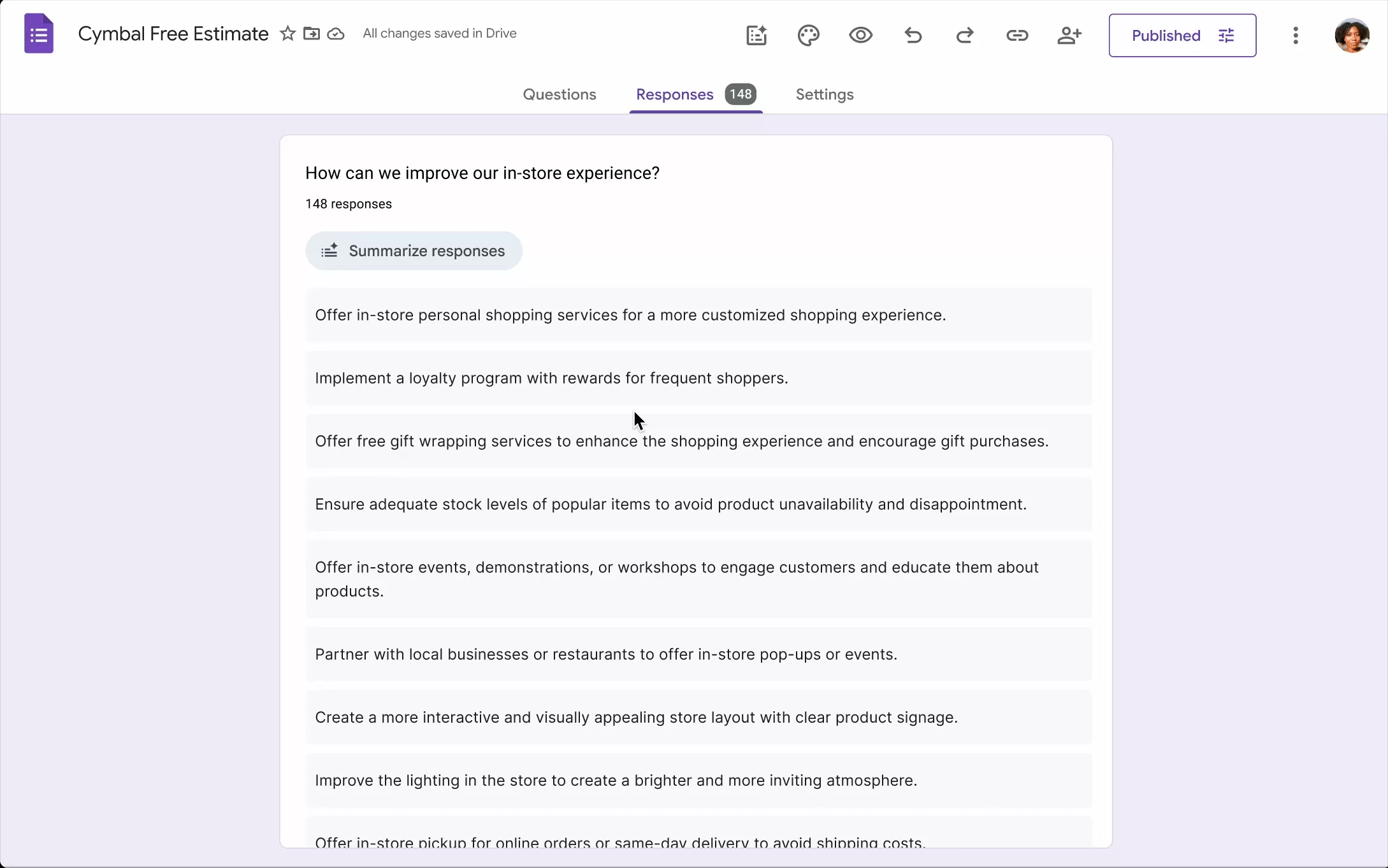 Google Gemini AI summarizing responses in Google Forms to highlight key themes
This feature starts rolling out to Google Workspace users on June 26th. Initially, it will only be available in English, with potential for more languages later.
Build Google Forms Faster with AI Help
Starting from a blank form can be daunting. Google Forms is introducing a “help me create” feature powered by Gemini to make form building significantly faster. You can simply describe the form you need, and Gemini will generate a draft form for you.
What makes this particularly powerful is the ability to reference existing documents in your prompt. Need a form to collect feedback on a new product based on your spec sheet in a Google Doc? Want to create a customer intake form that pulls details from a previous client list in a Google Sheet? You can prompt Gemini to create the form and point it to these related documents. Gemini can use the information within those files to build the form’s questions and structure, creating a relevant draft in seconds.
For example, a business could upload its service offerings PDF and ask Gemini to generate a service request form based on that list. It dramatically reduces the manual effort of typing out questions and options.
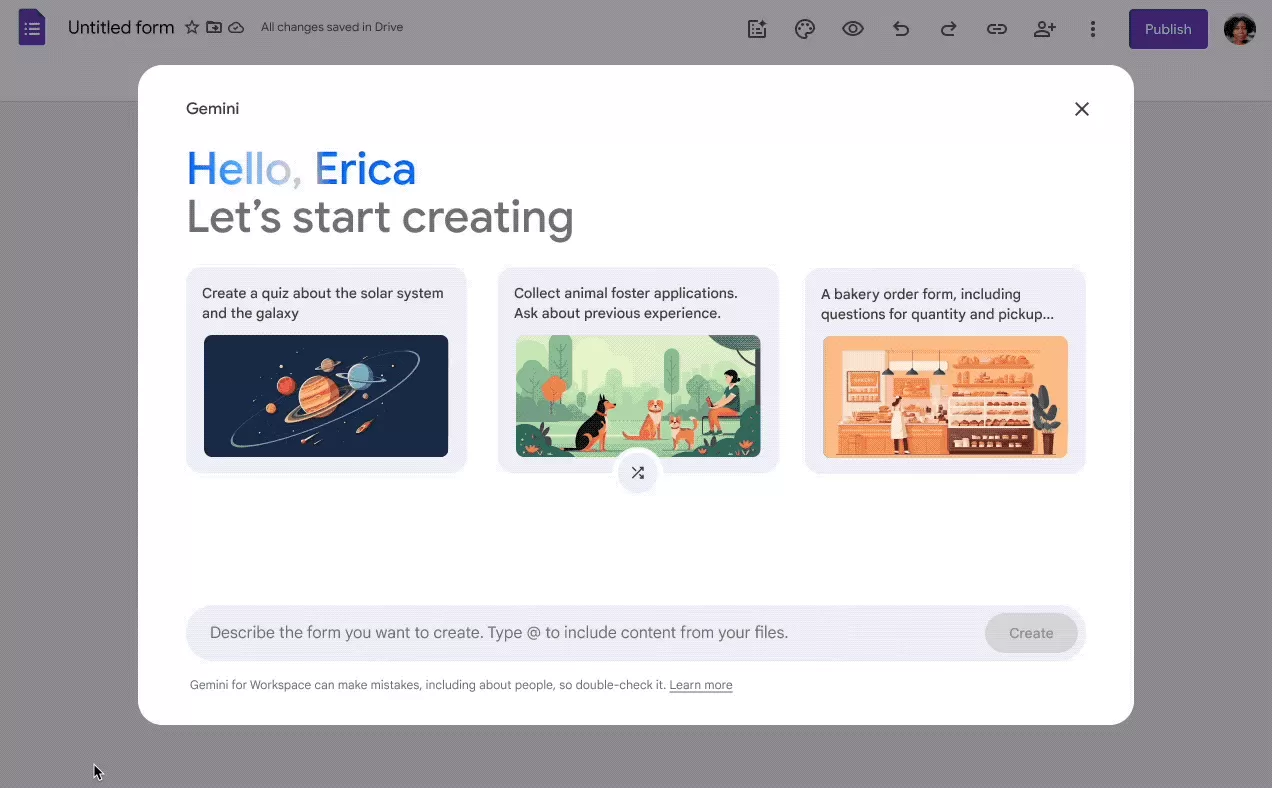 Google Gemini AI automatically creating a Google Form based on user input and linked documents
The “help me create” tool for Google Forms will also suggest example prompts to help you get started and experiment with its capabilities. This feature is also available in English and begins rolling out to Workspace domains on July 7th.
These Gemini AI updates in Google Workspace aim to take the drudgery out of working with documents and forms, freeing up your time for more important tasks by putting powerful summarization and creation tools at your fingertips.






















