
Like many people, my phone’s built-in notes app was a chaotic digital drawer overflowing with random lists and ideas. But after ChatGPT rolled out its memory feature and Projects upgrade, I decided to ditch the old way and see if AI could bring some much-needed order to my digital life.
Contents
After a few weeks of testing, I’ve learned exactly how ChatGPT can transform note-taking from messy lists into organized, actionable ideas. The biggest surprise? I’m taking fewer notes, but they’re far more useful.
Capturing Notes and Ideas with AI
One of the first things I noticed is how forgiving ChatGPT is when it comes to capturing thoughts. Unlike a traditional notes app where you might feel pressured to format or write full sentences, you can just throw ideas at it.
Need to remember something quickly? Just tell ChatGPT:
- “Remind me to pick up dry cleaning tomorrow.”
- “Save this book idea: a sci-fi story about time travel paradoxes.”
- “Remember these items for the picnic: sandwiches, drinks, blanket.”
Instead of scattering these across various titled (or untitled) notes, ChatGPT stores everything in context. When you later ask about planning your day or working on a project, it can pull these details up naturally because it “remembers” your previous input and related conversations. This feels much more like talking to a helpful assistant than just typing text into a box.
 Person typing notes into a mobile app, representing using ChatGPT as a notes replacement
Organizing Everything with ChatGPT Projects
The real game-changer for organization is ChatGPT’s Projects feature. Instead of just having a single, never-ending list for a vacation or work task, Projects lets you create dedicated spaces.
Within a “Project,” you can upload relevant documents, dump various related ideas, and chat with ChatGPT to refine plans or brainstorm. For example:
- Travel Project: Keep flight details, hotel confirmations, potential sightseeing spots, and packing lists all in one place. You can ask ChatGPT to help plan your itinerary based on the saved info.
- Work Project: Store article outlines, interview notes, research links, and draft ideas. Chat with ChatGPT to refine your writing or structure your arguments.
- Meal Planning Project: Save recipes you want to try, compile weekly grocery lists, and ask for meal suggestions based on ingredients you have.
Because ChatGPT remembers previous conversations within each chat or Project, you can easily pick up exactly where you left off, making ongoing tasks feel much more connected than fragmented notes.
 Screenshot showing ChatGPT's 'Projects' feature for AI-powered note organization
AI for Daily Reminders and Planning
While it doesn’t replace a full calendar app that syncs with your appointments, ChatGPT is surprisingly effective for managing daily tasks and getting soft reminders.
You can ask it to help structure your day or prioritize a to-do list. For instance:
“Help me plan my morning. I need to review the project proposal, draft an email to Sarah, and quickly research pricing for the new software.”
ChatGPT can suggest an order, ask clarifying questions to help you focus, and even use its new Tasks feature to create simple reminders within the chat itself. This adds a layer of helpfulness that a static list just can’t provide.
 Screenshot of ChatGPT Tasks feature demonstrating AI assistance with daily planning and reminders
The Most Surprising Benefit
Perhaps the biggest unexpected win from using ChatGPT is that I actually take fewer notes now, but they are significantly better. Instead of just quickly jotting down fragmented thoughts that might be hard to decipher later, I interact with ChatGPT. This conversation helps me clarify what I’m trying to capture, refine the idea, and make it more structured from the start.
It feels less like dumping data and more like processing it in real-time with an intelligent partner. This interactive process leads to higher-quality notes that are easier to understand and act upon later. Plus, having projects and structured chats makes finding information much simpler than digging through hundreds of generic “List” notes.
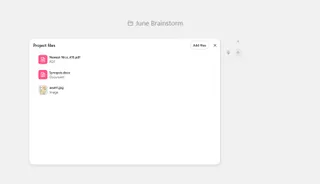 Screenshot of a ChatGPT chat interface, showing a conversation that improves note-taking quality and idea refinement
Final Takeaway
Can ChatGPT fully replace every notes app feature? Not entirely, especially for strict calendar events or location-based reminders.
However, for capturing spontaneous ideas, organizing complex projects, brainstorming, and getting help with daily planning, using ChatGPT has been a significant upgrade. My digital notes feel less like a cluttered mess and more like an active workspace where ideas are refined and tasks get done. It’s certainly helped me move beyond just making lists to actually completing them.
Explore how AI can boost your productivity with these related articles on ChatGPT memory and ChatGPT Projects.






















