
After five years, Polar is finally updating its base-model adventure watch line with the new Polar Grit X2. While its top-tier sibling, the Grit X2 Pro, launched with a steep price tag, Polar seems to be taking a different approach here, offering the Grit X2 at a much more reasonable 479 EUR. This makes it an interesting option in the competitive world of GPS sports watches. The big question is: does this more accessible price point mean cutting corners, or does it deliver solid features for your money?
Contents
We’ve been putting the Grit X2 through its paces to see how it stacks up. Here’s a look at what’s new, how it performs for daily life and sports, and whether its accuracy holds up when you need it most.
 Polar Grit X2 rugged outdoor watch display
What’s New Compared to the Original Grit X?
Comparing a watch from 2025 to one from 2020 brings a host of changes, some big, some small. Think of it like upgrading your old phone – lots of under-the-hood improvements that add up. Here are the most significant upgrades you get with the Grit X2:
- Display: Jumps to a vibrant 1.28” AMOLED touchscreen. This is a huge visual upgrade from the older transflective display.
- Durability: Enhanced to 810H durability mil-spec.
- Lens: Upgraded to sapphire crystal for better scratch resistance.
- Speed: A much faster processor (129% quicker than the original Grit X).
- GPS: Adds dual-frequency (multiband) GNSS/GPS for potentially better accuracy, especially in challenging environments. It also has a redesigned antenna.
- Storage: Increased to 32GB, primarily for storing maps.
- Maps: Includes North America & Europe maps pre-downloaded. You can also download free maps for other regions.
- Charging: Switches to a modern USB-C cable, though it keeps the magnetic connector on the watch side.
- Navigation: Maps now show your historical track alongside your planned route. Adds Vertical Speed and VAM (Average Ascent Speed) metrics, plus 3D speed calculation for steep terrain.
- Sensors: Upgrades to Polar’s 4th Gen optical heart rate sensor plus ELIXIR technology (the same found in the Vantage V3 and Grit X2 Pro).
- Health Features: Adds heart rate ECG functionality (note: no Afib detection), nightly skin temperature tracking, and guidance based on your temperature baseline. Includes a feature for real-time correction of potentially bad optical heart rate data.
- Software: New watch faces, a virtual flashlight feature using the bright AMOLED display.
- Price: Increased from 429 EUR to 479 EUR. (US launch is planned for later).
Now for a couple of steps backward:
- Waterproofing: Reduced from 100m to 50m. Still fine for swimming, but less robust on paper.
- Battery Life (GPS): Decreases from 40 hours to 30 hours in standard GPS training mode. Eco mode drops slightly from 100 hours to 90 hours.
A Note on Polar OS 4.0
Polar is starting to use new naming for its operating system: Polar OS 4.0. The Grit X2 runs this latest version out of the box. While “4.0” sounds like a big leap, many of the listed features were actually announced previously as part of the Polar OS 3.0 update. It feels a bit like a name change rather than a complete overhaul. Still, it brings some useful additions:
- Points of Interest (like shelters, cafes) added to maps.
- Find My Phone feature.
- New watch faces and dashboard widgets.
- Improved internal notifications (workout reminders, leaving phone behind).
- New post-workout route overview/summary and swimming style summaries.
- Revamped training start menu and cardio load status display.
- Legitimately new 4.0 features: PIN code option, turn-by-turn guidance for all route types (including Komoot, Strava, and GPX, though Strava/GPX requires an extra step), new Heart Rate Broadcasting settings, and a sleep phases/stages graph on the watch itself.
This OS 4.0 is also slated to arrive on the Vantage V3 and Grit X2 Pro soon.
Compared to the Grit X2 Pro, the base Grit X2 is very similar on the software side. The main differences are hardware-based: materials (no aerospace aluminum or Gorilla Glass 3 on the base model), display size (1.28″ vs 1.39″), waterproofing (50m vs 100m), and battery life.
Got all that? Let’s see what comes in the box.
Unboxing the Grit X2
The unboxing experience for the Grit X2 is straightforward.
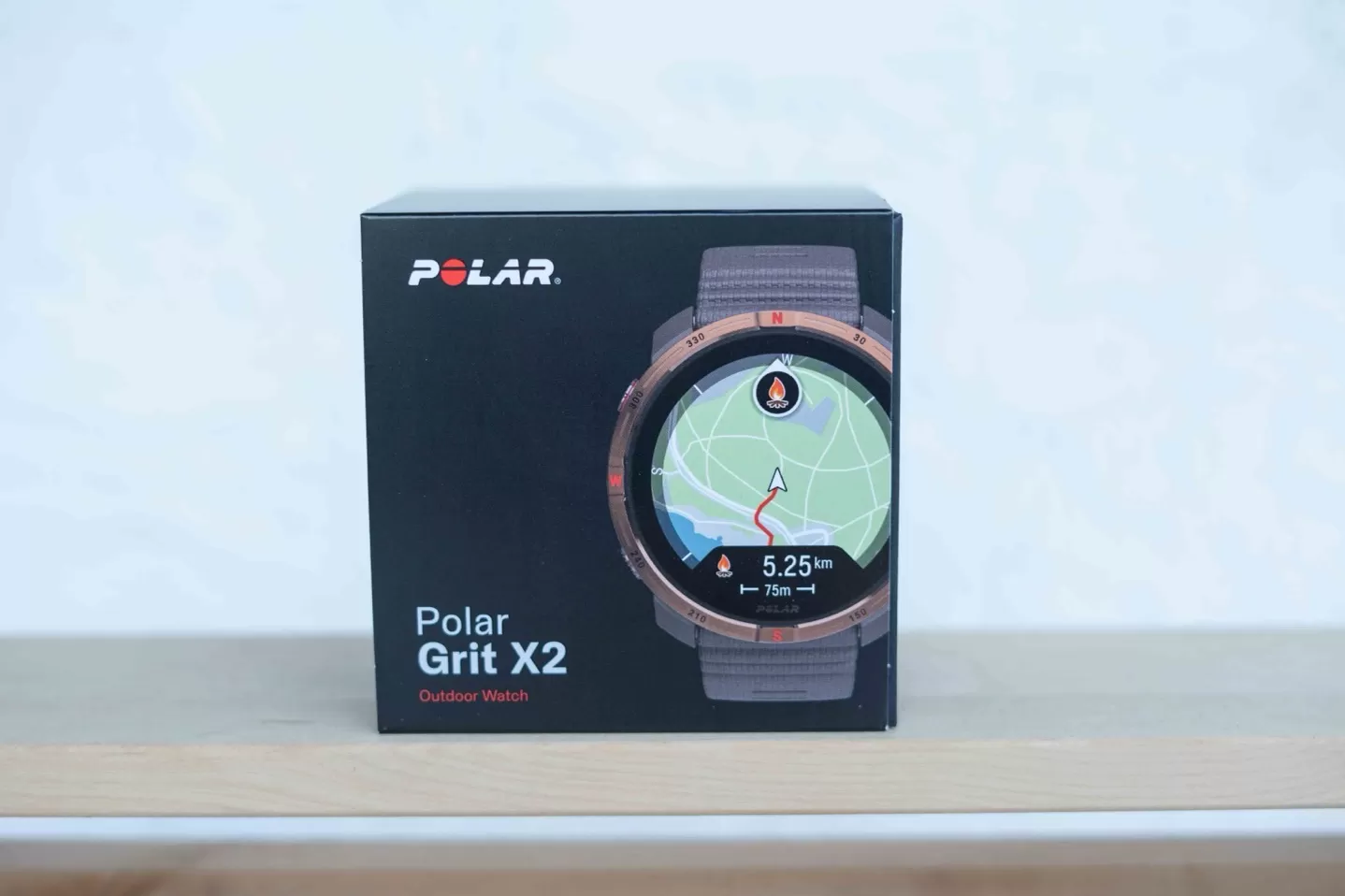 Retail box of the Polar Grit X2 GPS watch
Inside the box, you’ll find:
 Contents of the Polar Grit X2 watch box
- The Polar Grit X2 watch itself.
- A USB-C charging cable.
- An extra watch band for a different size fit.
- Some quick-start guides and paperwork.
 Polar Grit X2 watch with magnetic USB-C charging cable
The charging cable uses the familiar magnetic puck that attaches to the watch, but now the other end is a modern USB-C plug.
 Silicone wrist strap for the Polar Grit X2 watch
With the unboxing out of the way, let’s look at how the watch feels and works day-to-day.
Design & Daily Use
The Grit X2 sports five physical buttons alongside its AMOLED touchscreen. While the touchscreen works, especially for casual browsing, the buttons often feel quicker and more reliable, particularly during workouts or when your hands are sweaty or wet. The buttons have a nice textured finish, which helps with grip.
 Polar Grit X2 watch on wrist showing side buttons
The touchscreen is automatically disabled during swimming workouts. During runs or rides in rain or with sweat, the touchscreen performed reasonably well, but relying on buttons is generally safer.
The new AMOLED display is bright and easy to read, even under direct sunlight. It’s a significant upgrade from the original Grit X.
 Close-up of the textured buttons on the Polar Grit X2 watch
One interesting note on the display: if the battery dips below 8% during a workout, the watch drastically reduces screen brightness to conserve power, making it barely visible. While initially surprising, this is actually a clever move to potentially give you just enough juice to finish your activity.
The bright AMOLED display also enables a virtual flashlight feature, accessed with a quick swipe down. It’s not a dedicated LED like some competitors, but it’s impressively bright and handy in a pinch.
 Polar Grit X2 display showing the bright virtual flashlight feature
Like most watches with AMOLED displays, you have two main screen modes: gesture-based (screen turns on when you raise your wrist) or always-on (screen stays dimly lit).
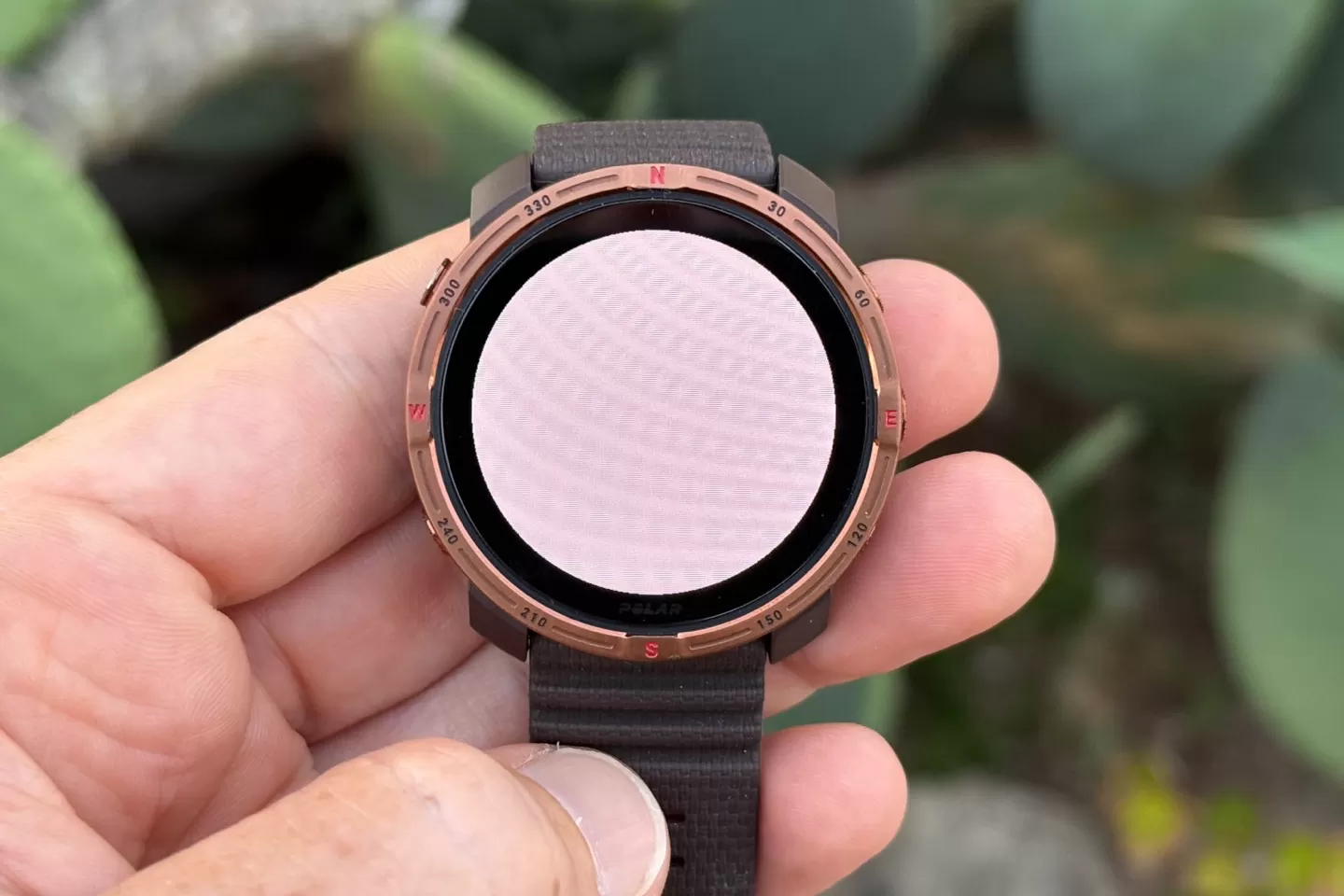 Hand holding Polar Grit X2 watch with flashlight mode active
I typically prefer always-on. Polar’s gesture recognition is functional but can be a touch slow, sometimes waiting a moment longer than you’d expect before fully illuminating the screen.
 Polar Grit X2 watch display in dimmed always-on mode
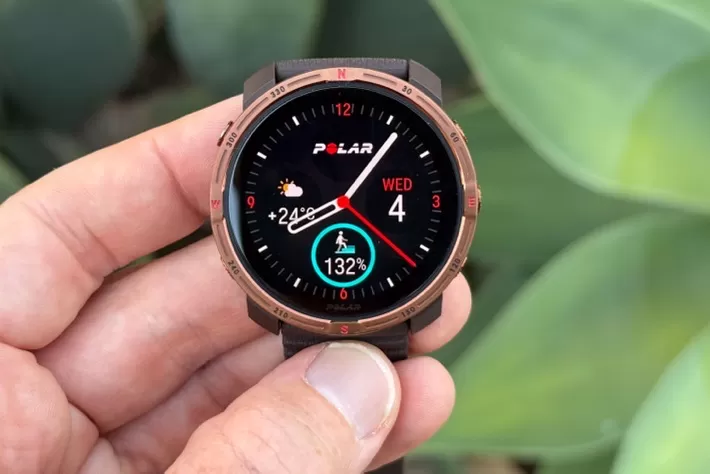 Polar Grit X2 watch display in full brightness mode
When it comes to watch faces, you get a few options, but customization is limited to tweaking the data fields on the existing faces. There’s no app store for third-party watch faces or ability to use your own photos.
 Customizable watch face on the Polar Grit X2 showing activity data
Most of your daily data is accessed by scrolling through dashboard widgets, initiated with a button press or swipe. These give you a quick overview of categories like Activity, Sleep, Skin Temp, and Workouts. Tapping into a category provides more details.
 Activity tracking dashboard widget on Polar Grit X2
Polar provides a wealth of sleep data, including Nightly Recharge, Sleep Charge, Sleep Score, HRV (Heart Rate Variability), and more. While the metrics themselves are often insightful and accurate (the watch correctly tracked when I fell asleep and woke up, even during the night), the way they are presented across multiple scattered dashboard pages can feel a bit disorganized compared to how some competitors structure this information. It’s all there, but you have to dig through several screens to see it all.
 Nightly Recharge dashboard widget on Polar Grit X2
 Detailed sleep tracking metrics displayed on the Polar Grit X2 watch
All this daily activity and sleep data syncs seamlessly to the Polar Flow smartphone app (iOS/Android) and the Polar Flow web platform, allowing for deeper analysis.
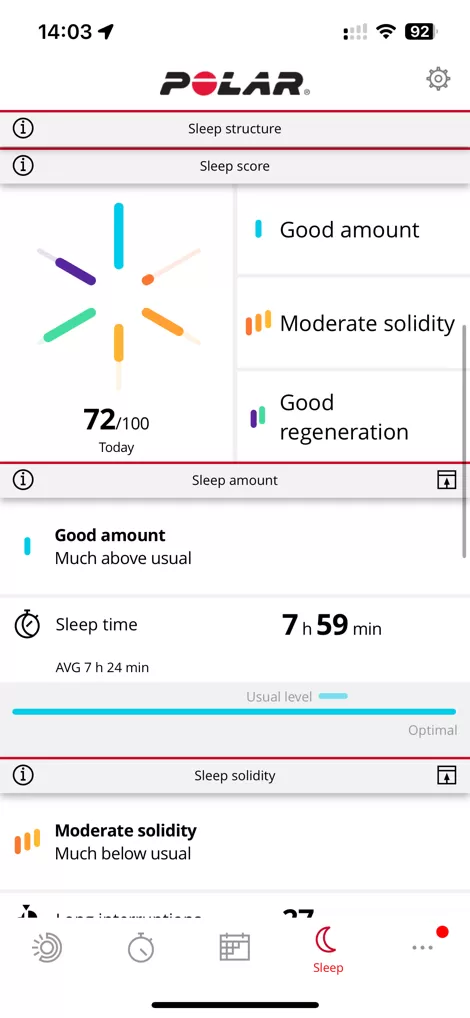 Polar Flow web service dashboard showing activity data synced from Polar Grit X2
 Polar Flow web service showing training data synced from Polar Grit X2
For smartphone notifications, the Grit X2 receives basic alerts but doesn’t allow for replies on the watch. This is a common limitation, particularly with iOS.
Music playback isn’t a feature – despite having 32GB of storage for maps, the watch doesn’t support storing or playing music files directly. It can, however, control media playing on your smartphone (music, podcasts, etc.).
Finally, the Grit X2 doesn’t offer native contactless payments. Getting payment support integrated into watches is complex for many companies. However, Polar has a partnership with Fidesmo, which allows you to use special NFC-enabled wristbands compatible with the watch for payments. It’s a workaround, though it has some limitations (like needing occasional re-authorization via phone).
Sports Tracking & Maps
Most people eyeing a Grit X2 are probably doing so for its sport and outdoor features. Accessing sports modes is easy via a button tap. The list of sports is fully customizable through the Polar Flow app or web platform, where you can fine-tune everything from data pages and fields to sport-specific settings.
 Polar Grit X2 watch displaying in-workout data screen during a run
 Polar Grit X2 training start menu showing sport profiles
 Polar Flow mobile app interface for customizing sport profiles for Polar Grit X2
Once a sport is selected, you see the revamped start screen introduced with Polar OS 4.0. It’s cleaner, but I did notice an occasional bug where starting the activity takes an unusually long time.
 Revamped pre-activity training start screen on Polar Grit X2
From this screen, you can quickly access settings like structured workouts, display options, timers, or select a route for navigation. Once you hit start, the watch displays your chosen data fields. The screen visibility remained good during workouts in various conditions.
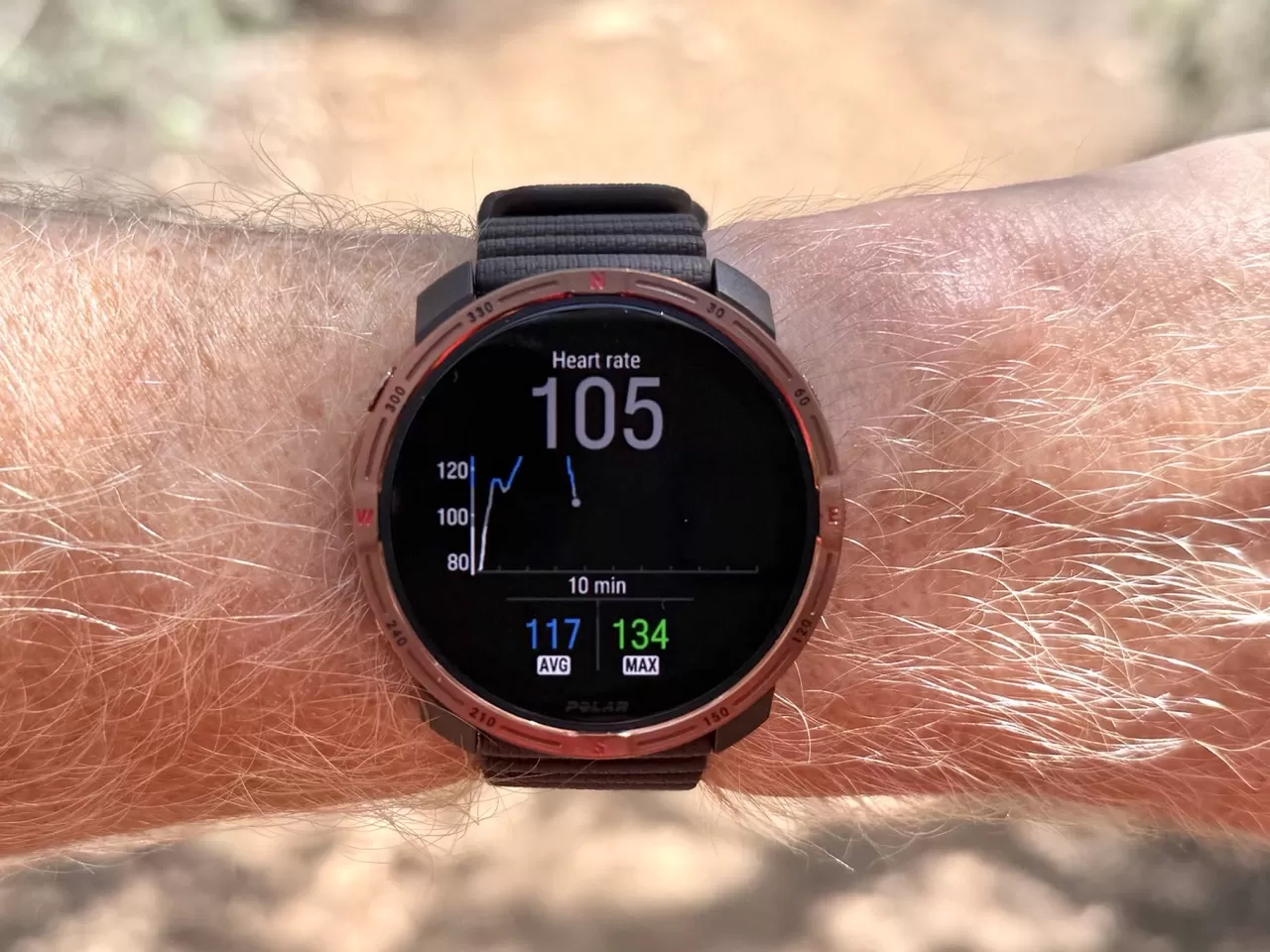 Polar Grit X2 watch displaying real-time metrics during an outdoor activity
If you’ve loaded a route, you can also view upcoming elevation changes.
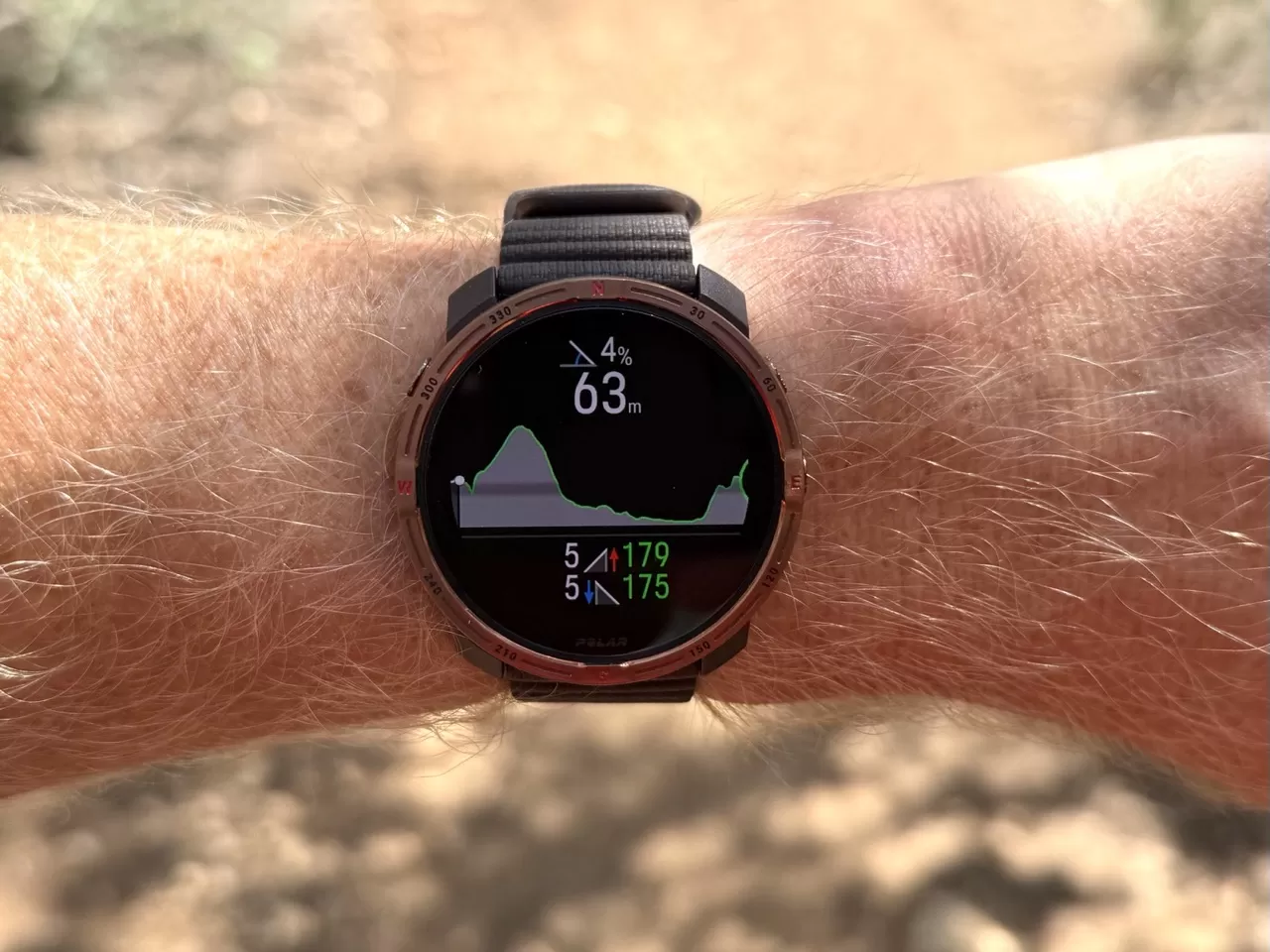 Polar Grit X2 showing upcoming elevation profile on a loaded route
After completing a workout, you get detailed summary stats right on the watch, which you can scroll through.
 Post-workout summary: Distance and duration on Polar Grit X2
 Post-workout summary: Average heart rate on Polar Grit X2
 Post-workout summary: Training load on Polar Grit X2
 Post-workout summary: Calories burned on Polar Grit X2
 Post-workout summary: Recovery time on Polar Grit X2
 Post-workout summary: Hill Splitter data on Polar Grit X2
 Post-workout summary: FuelWise data on Polar Grit X2
 Post-workout summary: Cadence data on Polar Grit X2
 Post-workout summary: Pace data on Polar Grit X2
 Post-workout summary: Vertical speed data on Polar Grit X2
 Post-workout summary: GPS altitude data on Polar Grit X2
 Post-workout summary: Temperature data on Polar Grit X2
This data then syncs to Polar Flow for even deeper analysis on your phone or computer.
 Workout details on Polar Flow app
 Heart rate analysis on Polar Flow web
 Pace analysis on Polar Flow web
 Altitude graph on Polar Flow web
 Lap breakdown on Polar Flow web
 Training Load Pro details on Polar Flow web
For navigation, the Grit X2 comes with basic North America and Europe maps preloaded. You can easily download more detailed versions (or maps for other areas) for free from the Polar Flow website and transfer them to the watch like copying files to a USB drive. The detailed maps offer more geographic information and include Points of Interest.
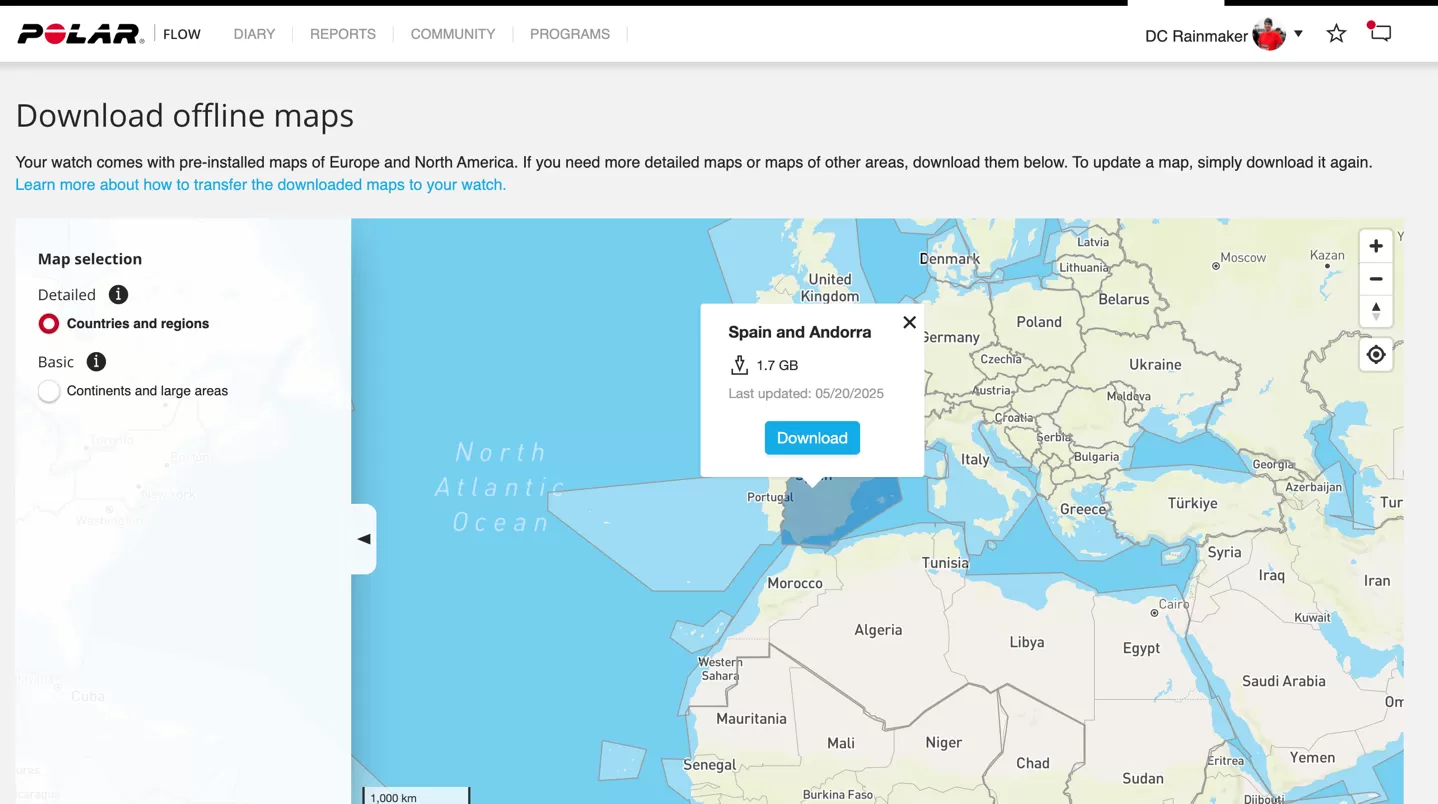 Polar Flow web interface for downloading regional maps for Polar Grit X2
To navigate, you select a route within the sport settings before starting your activity. You can import routes via GPX files directly into Polar Flow or sync from platforms like Komoot and Strava.
 Selecting a pre-synced route for navigation on the Polar Grit X2
 Route details and options before starting navigation on Polar Grit X2
Here’s a confusing quirk: if you use a Strava or GPX route, you must separately go back into the workout settings after hitting the start button to enable turn-by-turn directions. This is counter-intuitive – who loads a route and doesn’t want turn-by-turn guidance enabled automatically? Komoot routes enable it by default, which makes sense.
 Accessing workout settings menu on Polar Grit X2
 Option to enable turn-by-turn navigation for Strava/GPX routes on Polar Grit X2
Once enabled (and for Komoot routes automatically), you’ll get alerts for upcoming turns.
 Turn-by-turn navigation alert displayed on Polar Grit X2 watch
You’ll see your position clearly on the map, along with distance to the finish. The watch notifies you if you go off-course, but it won’t automatically reroute you; you need to find your way back yourself.
 Map view on Polar Grit X2 showing current location on a loaded route
With Polar OS 4.0, you can also view Points of Interest listed on the map screen, filtered by category, which is a useful addition for outdoor adventures.
 List of nearby Points of Interest displayed on the Polar Grit X2 map screen
Overall, Polar’s map styling is clear and easy to read, helping you see your position relative to nearby landmarks. While it lacks some of the fancy details found on higher-end competitors (like detailed relief shading), it’s perfectly functional for getting you where you need to go.
Putting it to the Test: GPS & Heart Rate Accuracy
Accuracy is critical for any sports watch. The Grit X2 uses the same GPS and HR sensor hardware as the more expensive Grit X2 Pro, but software algorithms and even subtle design differences can impact performance. I tested both GPS and optical heart rate extensively.
 Polar Grit X2 watch worn during an accuracy test
Starting with GPS, I tested it on trail runs, road runs, and bike rides. Generally, the dual-frequency GPS performed very well. On a challenging trail run with trees, the track was solid.
 GPS track comparison map for a trail run with Polar Grit X2
On more open road runs and bike rides, the GPS accuracy was consistently spot-on, even on winding mountain switchbacks.
 GPS track comparison map for an outdoor bike ride with Polar Grit X2
 Zoomed-in GPS track comparison showing accuracy on switchbacks with Polar Grit X2
However, open water swimming was a different story. The GPS track was wildly inaccurate, showing me swimming far off course and dramatically overstating the distance. This suggests a significant issue with swim GPS performance.
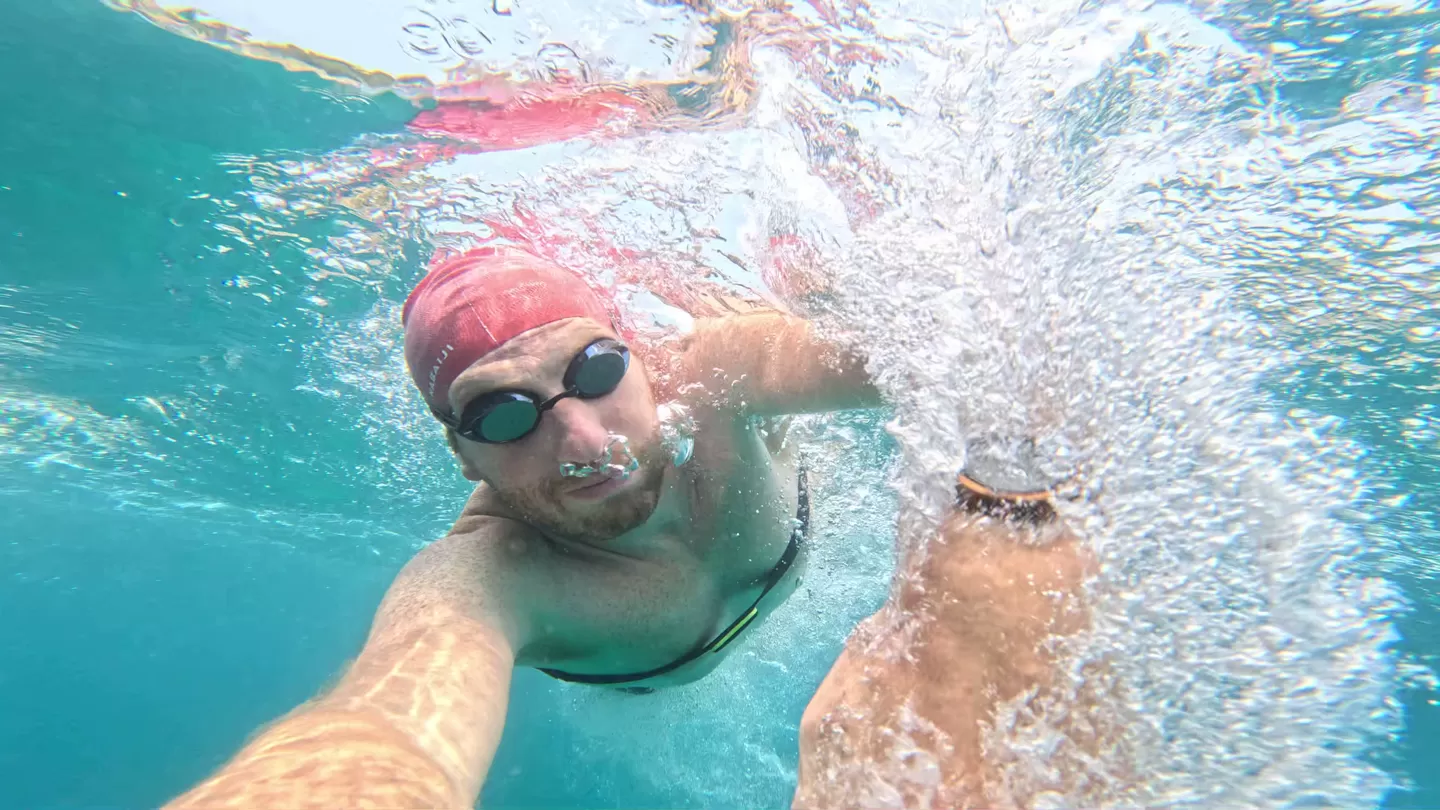 Polar Grit X2 watch displaying swim tracking data during an open water swim
 GPS track comparison map showing poor accuracy during an open water swim with Polar Grit X2
For optical heart rate, the results were mixed. For steady efforts, like an easy trail run or longer intervals that weren’t too intense, the Grit X2 tracked closely with chest straps or other reference devices.
 Heart rate data comparison chart for a run with the Polar Grit X2
But when it came to short, high-intensity bursts, the performance fell apart. During 400m repeats, the watch consistently missed the heart rate spikes for nearly every single interval, despite being worn snugly. It also struggled with a short sprint during an indoor cycling workout.
 Heart rate data comparison showing issues during short intervals with Polar Grit X2
 Running 400s GPS accuracy was good despite HR issues
 Heart rate data comparison for an outdoor bike ride with Polar Grit X2
So, while general GPS and steady HR seem solid, the Grit X2 appears to have significant issues with open water swim GPS and tracking heart rate during short, intense intervals.
Wrap-Up
The Polar Grit X2 positions itself as a capable outdoor and sports watch at a more accessible price point than its Pro sibling. For 479 EUR, it offers a compelling package, including a vibrant AMOLED display, sapphire glass, dual-frequency GPS, robust mapping (with downloadable maps), and Polar’s comprehensive suite of training and recovery tools.
Polar’s decision to keep the price increase modest compared to the original Grit X is noteworthy in today’s market, where many competitors are seeing steeper price hikes. The Grit X2 delivers a good chunk of the Grit X2 Pro’s software experience at a much lower cost, mainly sacrificing premium materials, maximum waterproofing, and a bit of battery life.
However, the experience isn’t without its hitches. The confusing naming and slow rollout of genuinely new features under the “Polar OS 4.0” banner is a bit disappointing. The user interface for displaying the detailed sleep metrics could be more streamlined. And the practical usability of features like enabling turn-by-turn navigation for Strava/GPX routes after starting an activity is frustratingly illogical.
More importantly, the accuracy results show some significant weaknesses. While general GPS is good, the open water swim GPS is currently unusable for accurate distance tracking. The optical heart rate sensor, while excellent during steady efforts, struggles noticeably with the rapid changes seen in high-intensity intervals.
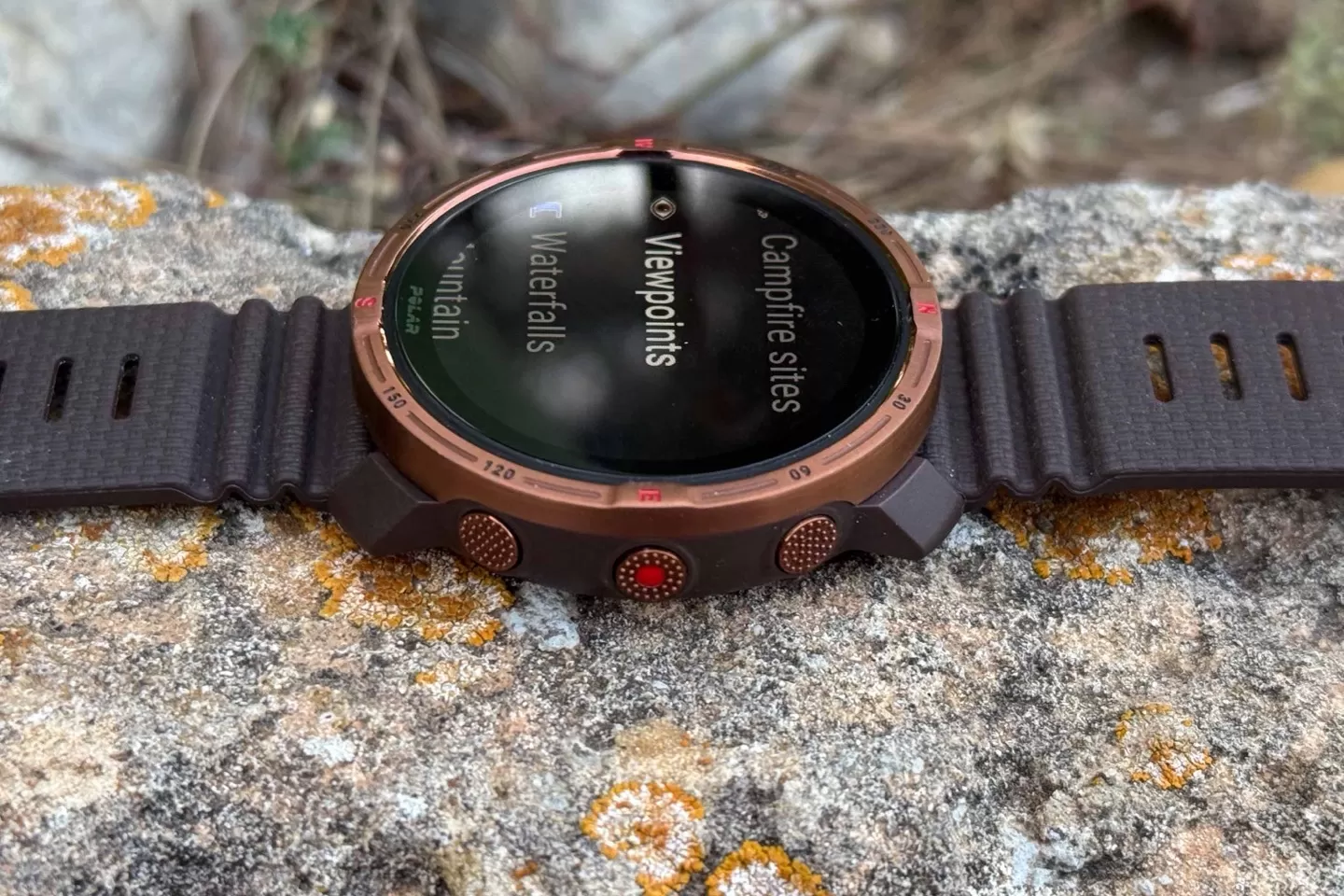 Polar Grit X2 watch showing a summary or home screen
Ultimately, the Polar Grit X2 offers strong value for its price, packed with features that competitive watches often charge more for. It’s a great option if you value the AMOLED display, built-in maps, and Polar’s training ecosystem for steady-state activities like long runs or hikes. But if accurate open water swim tracking or reliable optical HR for interval training are critical for you, you might need to look elsewhere or use an external heart rate strap.
The Grit X2 is a solid step forward for Polar’s base adventure line, offering premium features at a more wallet-friendly price, provided its specific accuracy limitations don’t impact your training needs.






















