
Getting accessories for a brand new console like the Nintendo Switch 2 can be tricky, as companies often design them before even getting their hands on the final hardware. This can lead to poor fits or features that don’t quite work right. But one accessory stands out from the start: the Dbrand Killswitch case kit. Known for its quality accessories, Dbrand seems to have nailed the fit and protection for the Switch 2 right away, making it a top contender for anyone looking to keep their new console safe and comfortable.
Contents
Here’s the breakdown: The Killswitch offers a super snug fit, excellent protection, adds comfortable grips, and even includes a clever solution for using your console with the dock.
Why Finding the Right Case Matters
With any new device, especially a portable one like the Switch 2, keeping it protected is key. Early on, many third-party cases can have slight imperfections because manufacturers are working off preliminary specs. We’ve already seen examples where a case might be just a millimeter off, causing issues. Dbrand, however, has a reputation for precision, and their Killswitch for the Switch 2 seems to continue this trend, offering a near-perfect fit that secures snugly onto the console.
The Core Protection: The Shell
At the heart of the Killswitch system is a durable, form-fitting shell that wraps around the back of the Switch 2 and slightly over the front edges. It’s designed to latch on securely, often with the help of small adhesive strips for extra peace of mind. The material is tough enough to protect against drops and scratches but also just flexible enough to make installation easy. The kit even includes a small protective strip specifically for the console’s kickstand, a part that often gets scuffed.
Upgrading Your Grip
One of the most immediate improvements you’ll notice with the Killswitch is the added comfort, particularly for handheld play. The kit includes shells for the Joy-Con 2 controllers that feature thick, textured grips. If you’ve ever felt like the standard Joy-Cons are a bit small or slippery for long gaming sessions, these grips make a huge difference. They add substantial comfort without making the controllers feel too heavy or bulky. Installing them is simple; they slide right into place and feel very secure thanks to the case material.
Docking with the Case On
A common problem with many Switch cases is that they make the console too thick to fit into the standard Nintendo dock. Dbrand anticipated this and engineered its own USB-C dock adapter.
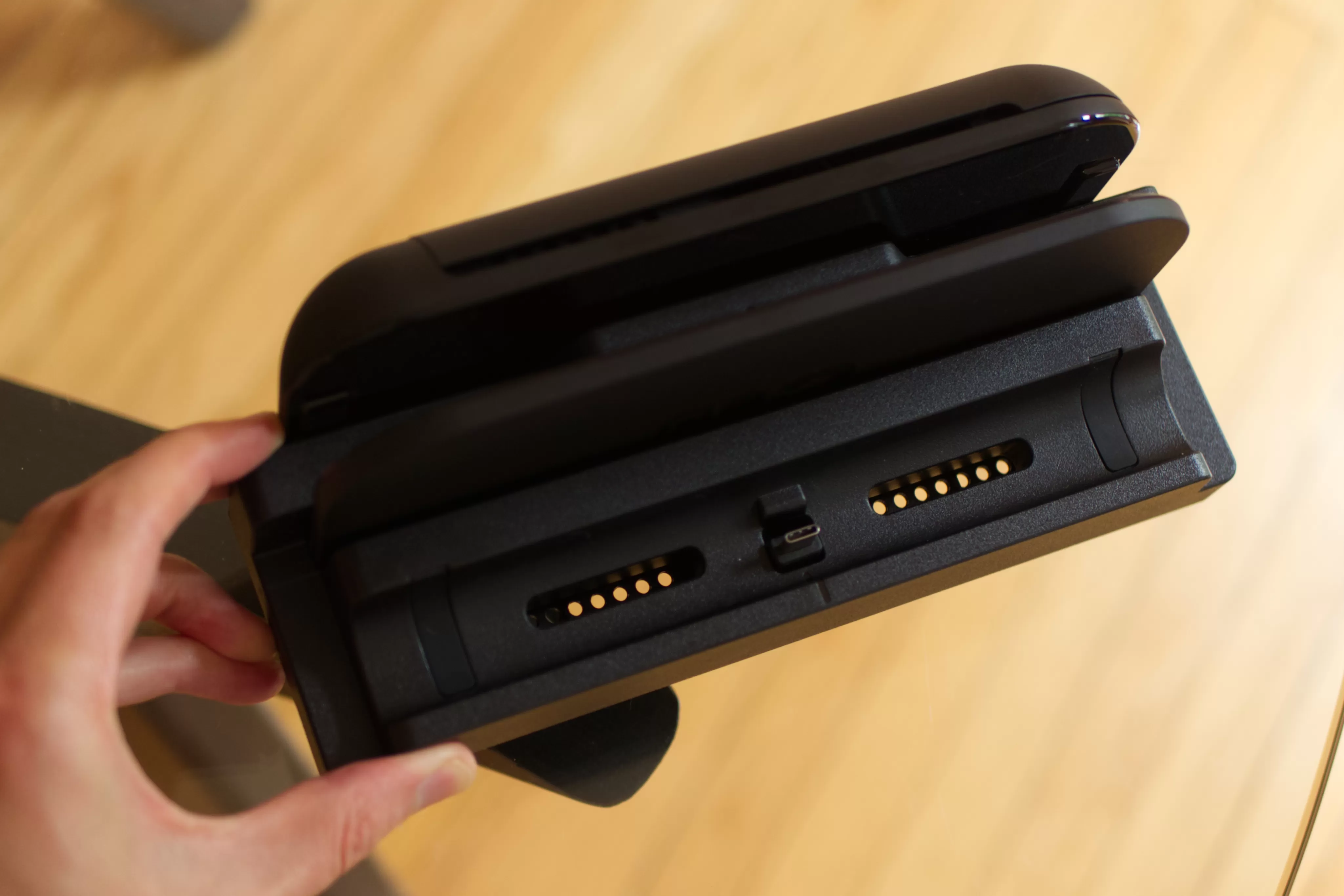 A top-down image shows the Nintendo Switch 2 dock with Dbrand’s Killswitch USB-C dock adapter connected to the front port.
This adapter is included with the Killswitch kit, meaning you don’t have to remove the case every time you want to play on your TV. While the reviewer noted the adapter feels “clunky,” the key thing is that it works, supporting video output up to 4K at 60Hz, just like the original dock. It’s a small compromise for the convenience of not having to constantly detach and reattach the case.
Choosing Your Kit
Dbrand offers the Killswitch in a few different configurations, letting you pick the level of protection and features you need.
- Essentials Kit: This base package includes the main console shell, the kickstand protection strip, the Joy-Con 2 grips, and the crucial USB-C dock adapter. It’s perfect if you primarily want enhanced grip and basic console protection while still being able to dock easily.
- Travel Kit: Stepping up adds a robust latch-on cover for the front of your Switch 2. This provides hard case-like protection for the screen and joysticks when you’re on the go. It also includes a handy tray that fits inside the cover, capable of storing up to 10 game cartridges. If you carry your Switch 2 around frequently, this cover offers significant peace of mind.
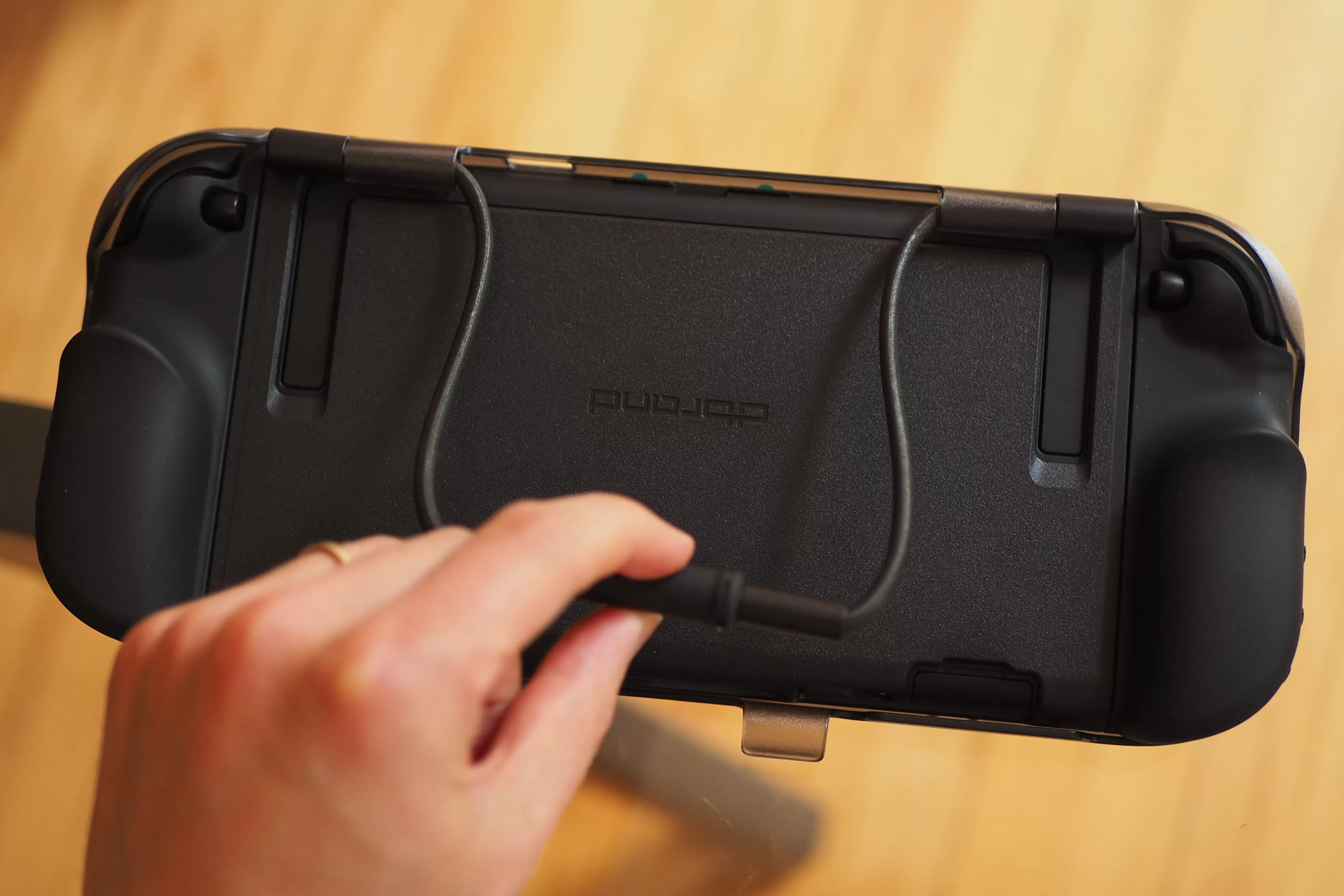 An image shows the rear of a Switch 2 wearing the Killswitch case with the hard front cover attached.
- Ultra Kit: The most comprehensive package includes everything from the Travel kit plus additional analog stick grips and two glass screen protectors. If you were already planning to buy a screen protector, this kit bundles it in, potentially saving you a bit compared to buying everything separately.
Everyday Use and Comfort
Beyond the features, the real test of a case is how it feels during daily use. The reviewer found the Killswitch so well-integrated that they often forgot it was even on the console. Coming from a Steam Deck, which has chunky, built-in grips, the Switch 2 can feel quite slim by comparison. The Killswitch effectively adds similar substantial grips to the Switch 2, transforming the handheld experience into something more comfortable for longer gaming sessions, especially if you prefer larger grips.
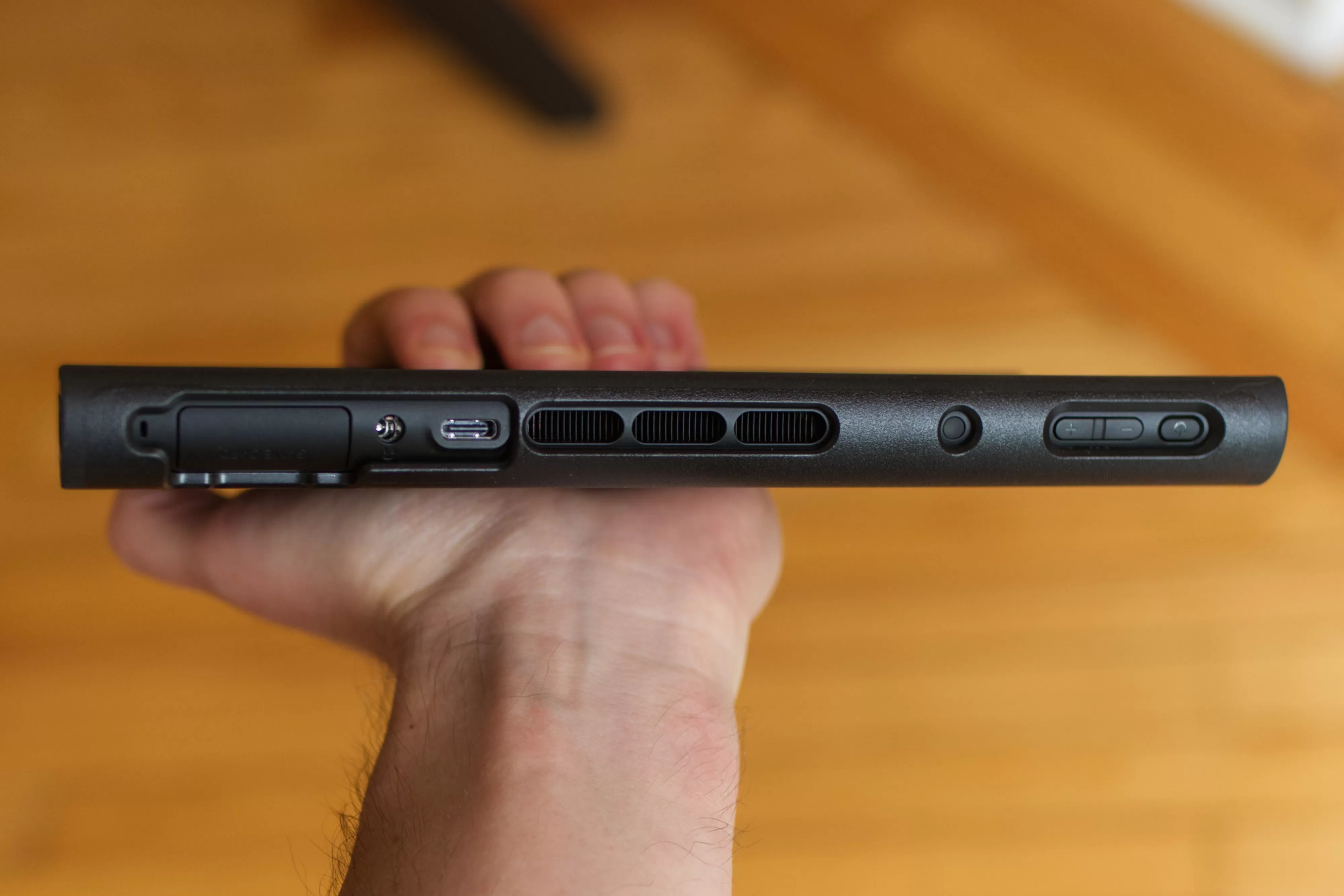 An image shows a top view of the Switch 2 with the Dbrand Killswitch case installed, highlighting the ports and buttons on the top edge.
The way the Killswitch components attach feels secure yet is still relatively easy to remove if needed.
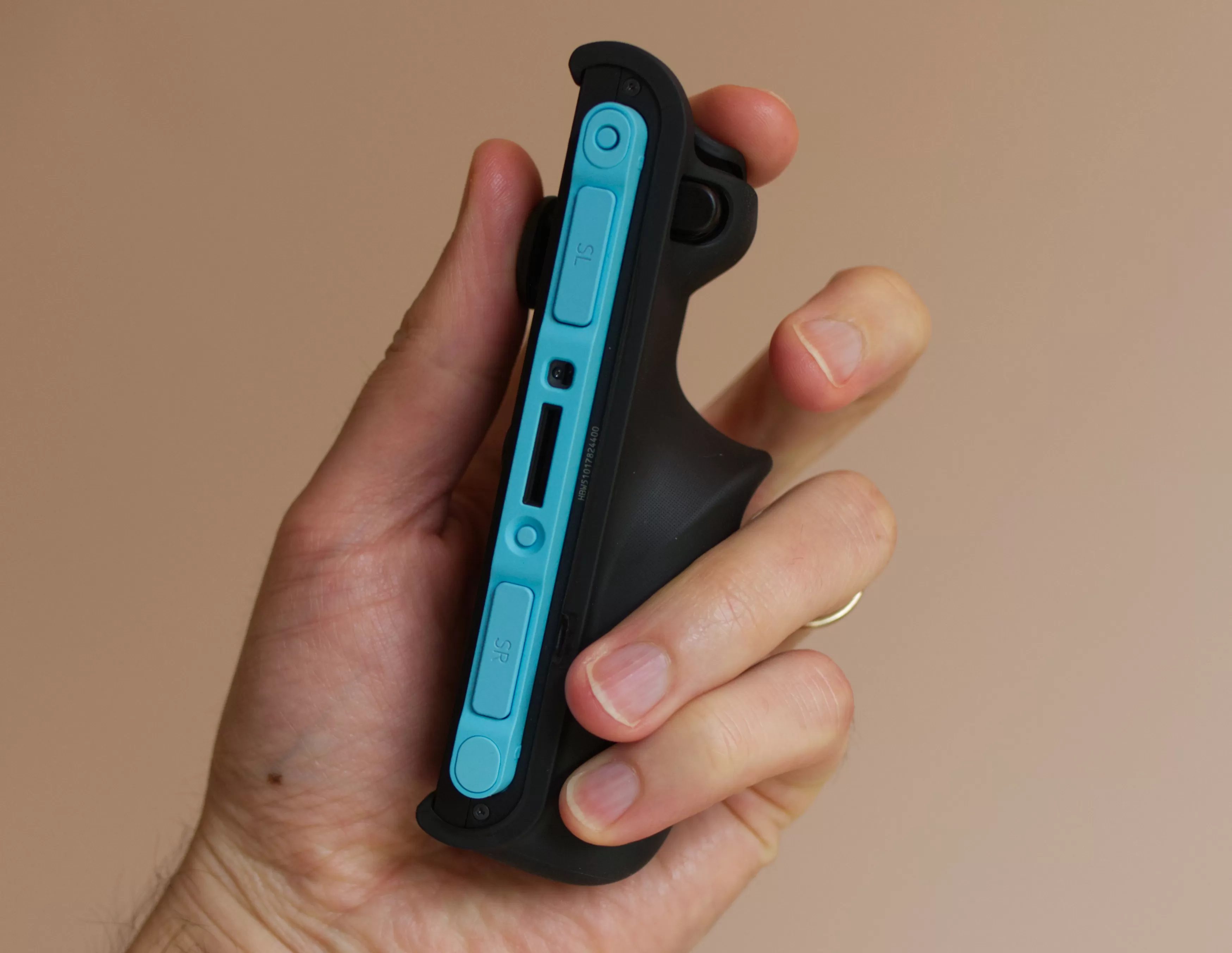 An image shows a close-up of a Nintendo Switch 2 Joy-Con with the Dbrand Killswitch grip shell attached.
The case uses a small lip to hold onto the console and controllers. Even the front cover, which adds significant protection, is designed so that essential ports like the top USB-C port remain accessible when the cover is attached.
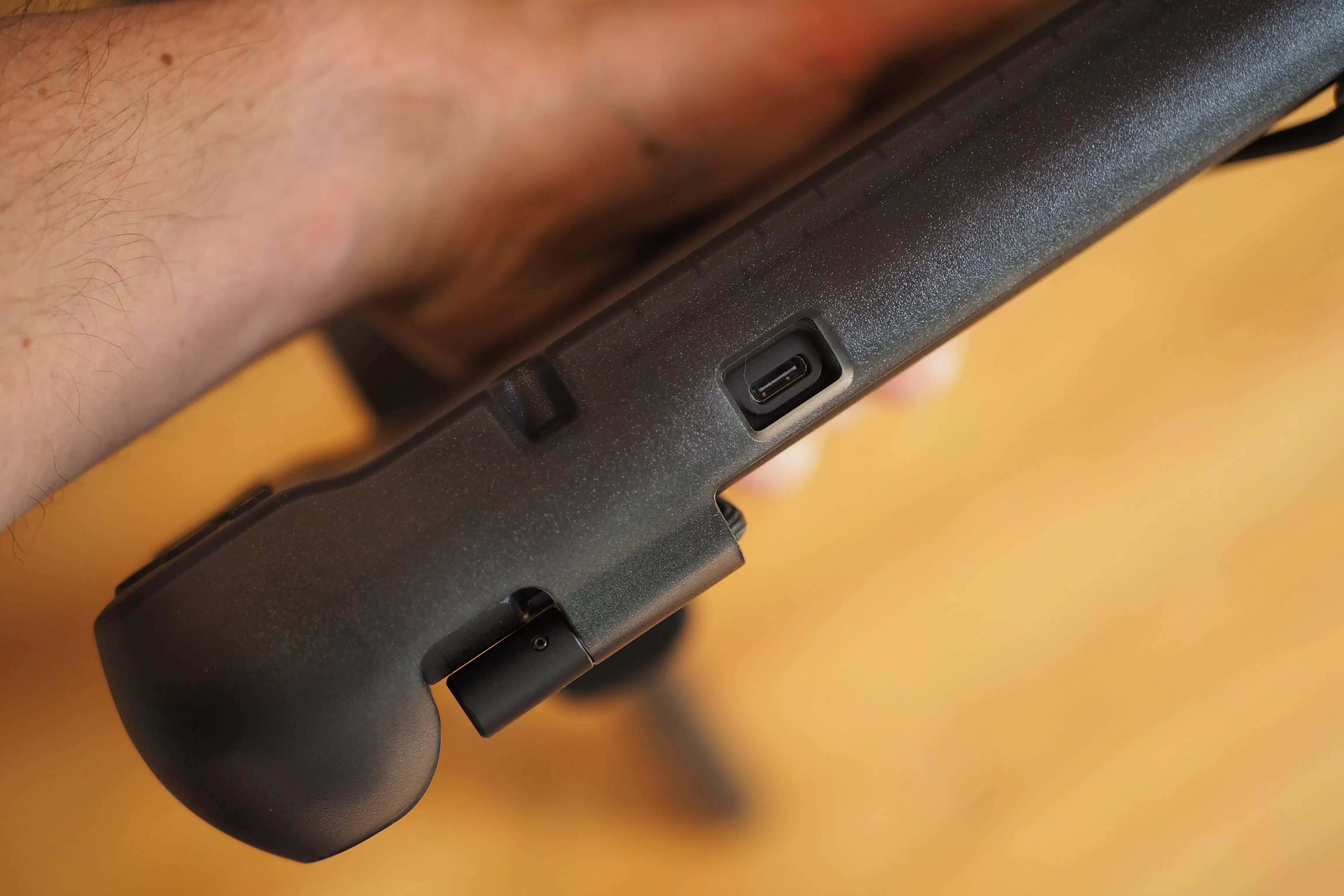 An image shows the front cover of the Switch 2 Killswitch case, demonstrating how the top USB-C port remains accessible.
Overall, the Dbrand Killswitch appears to be one of the first Switch 2 accessories that gets it right from the start. Its excellent fit, robust protection, comfortable grips, and clever dock solution make it a highly appealing option for protecting and enhancing your new Nintendo console.
[






















