
Google is rolling out a significant change to how you switch between your accounts and manage your profile across its Android apps. The familiar little floating window you tap in the corner is being replaced by a full-screen view.
Contents
This update offers a more spacious look that matches Google’s web experience, but it also takes you away from the app you were using when you tap your profile picture. Here’s a breakdown of the new design and where you’ll find it.
From Floating Box to Full Screen
For years, tapping your profile picture in the top-right corner of most Google apps would pop up a small box or window. This mini-menu let you quickly see your current account, switch to another, or access basic account settings without leaving the app entirely.
Now, that’s changing. Google is transitioning to a fullscreen experience for the Account switcher. When you tap your profile picture, the current app view disappears, and you’re presented with a new screen dedicated to your Google Account.
 Screenshot showing the old compact Google Account switcher overlay in the Maps app
What the New Fullscreen View Looks Like
This new fullscreen layout gives a lot more room. At the top, you’ll see your email address, followed by a larger circular profile picture and a friendly greeting like “Hi, [Your Name]!”. Below that is a prominent button to “Manage your Google Account,” which takes you to your main Google settings.
The option to “Switch account” is still there, presented as a dropdown menu on this new fullscreen page. This design closely mirrors how account switching works on Google’s websites when accessed from a desktop browser.
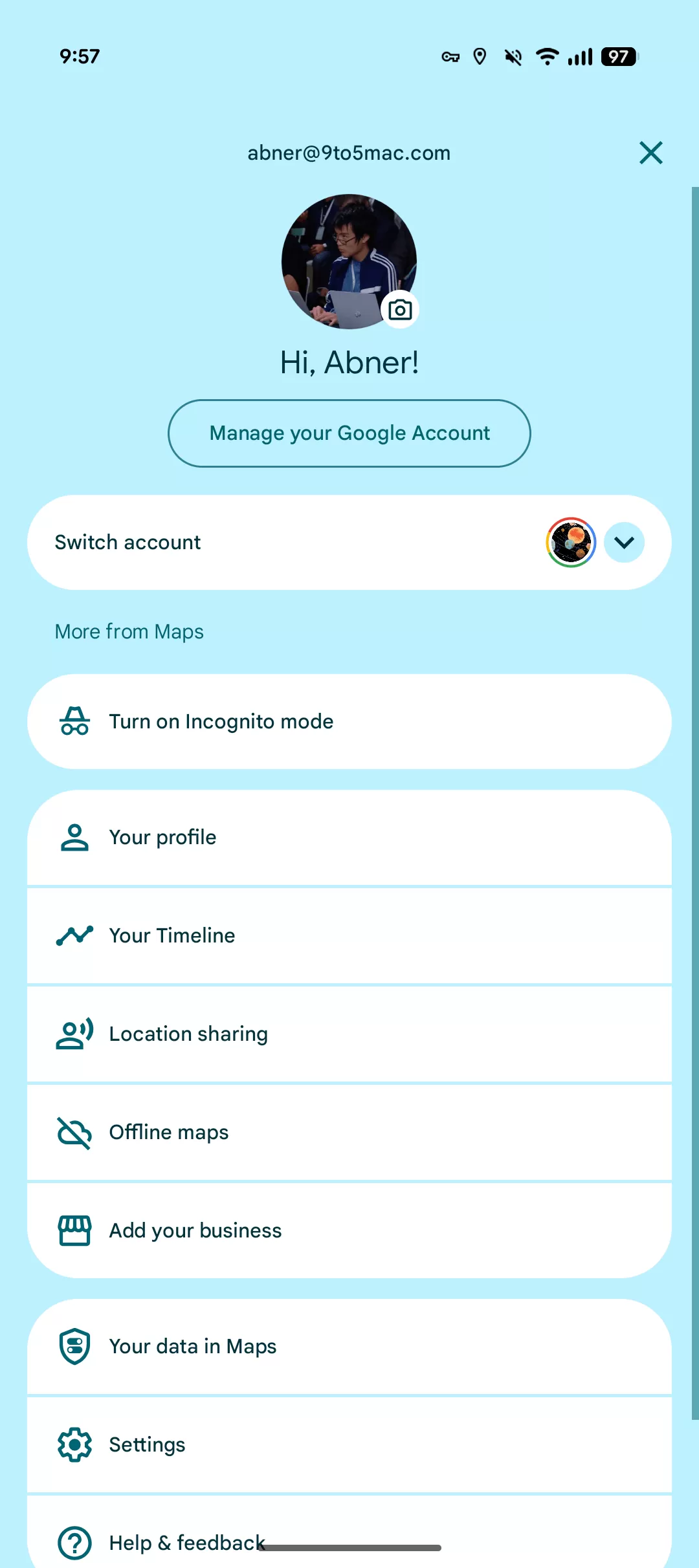 Example of the updated fullscreen Google Account switcher interface in Google Maps, featuring a large profile avatar and account details
The new screens also feature Google’s latest design style, Material 3 Expressive, which can mean more vibrant background colors pulled from your phone’s theme, making the interface feel a bit more lively.
Different Apps, Different Options
How this fullscreen switcher works can vary slightly depending on the Google app you’re using.
In apps primarily focused on creating content, like Google Docs or Sheets, the Account switcher is usually just for managing accounts and accessing help.
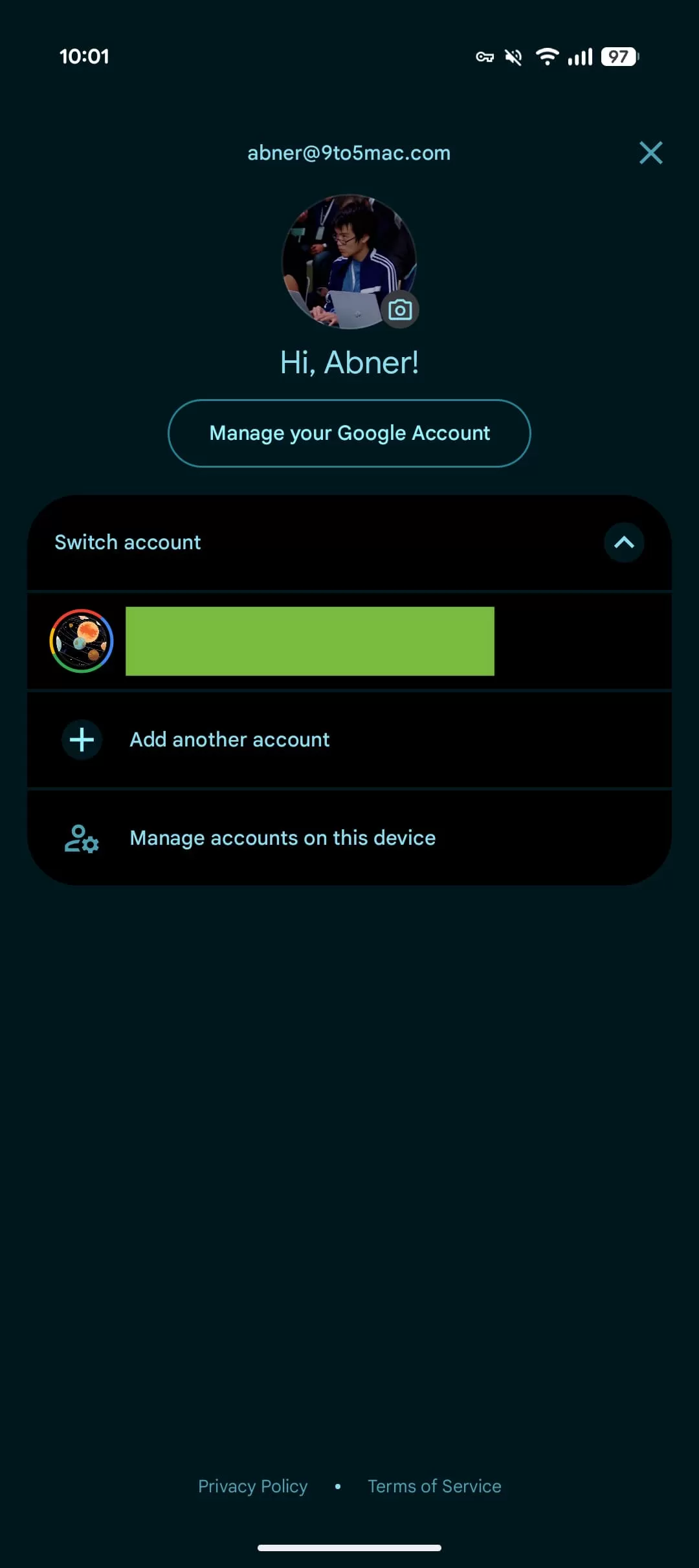 The fullscreen Google Account switcher in Google Docs, primarily focused on account management
However, in apps that don’t have a traditional slide-out side menu (often called a navigation drawer), Google uses this fullscreen account space to also include quick links to important sections of that specific app, such as settings, location sharing in Maps, or payment methods in Wallet. These are usually listed under a “More from [App Name]” heading.
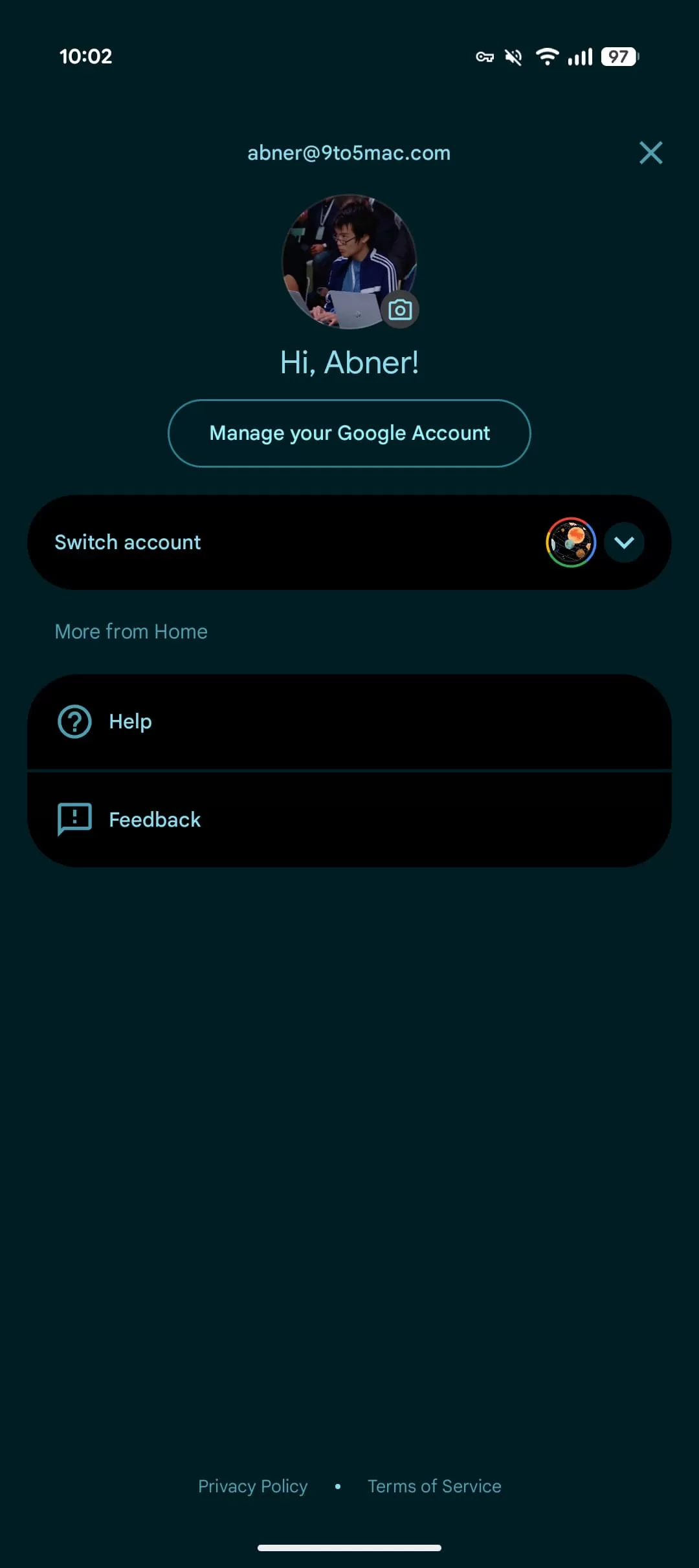 The new fullscreen Google Account switcher in the Google Home app, showing additional app-specific menu options
The Trade-offs: Convenience vs. Context
The biggest shift with this design is that it removes the “spatial context.” Instead of a small window appearing over your current view, the new full-screen design completely replaces what you were looking at. This might feel a bit disruptive, taking you out of your workflow just to switch accounts or check settings.
Fortunately, Google is keeping the quick swipe gesture. You can still swipe up or down on your profile icon in the corner to rapidly cycle through your logged-in accounts without ever opening the fullscreen page. This maintains a faster way to switch if that’s all you need to do.
Where You’ll See It Rolling Out
Google is gradually bringing this fullscreen Account switcher to its Android apps. As of now, you might start noticing this change in several popular apps:
- Google Docs
- Google Drive
- Google Home (includes Help, Feedback links)
- Google Keep
- Google Maps (includes links for Incognito mode, Profile, Timeline, Location sharing, Settings, etc.)
- Google News (includes links for Notifications, Settings, etc.)
- Google Sheets
- Google Slides
- Google Tasks (includes Settings, Help & feedback)
- Google Translate (includes links for History, Settings, etc.)
- Google Wallet (includes links for Payment methods, Settings, etc.)
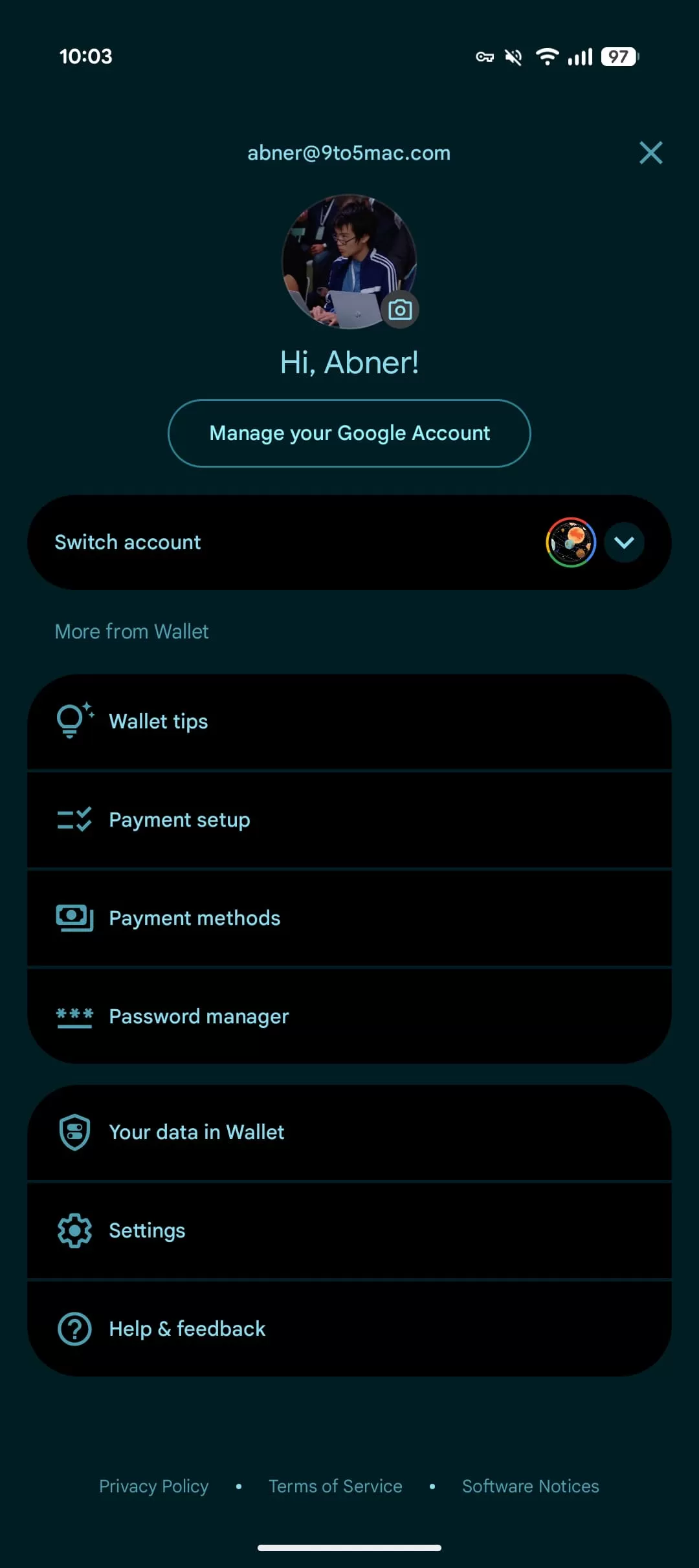 View of the redesigned fullscreen Google Account switcher in the Google Wallet app
While Gmail was one of the first apps to test this redesign back in late 2024, its wider rollout has been inconsistent, and some users who had it have seen it revert. Expect to see this fullscreen switcher arrive in more Google apps over time.
Wrapping Up
The move to a fullscreen Google Account switcher on Android brings a more unified look across platforms and provides dedicated space for account information and app settings. While it changes the familiar quick pop-up interaction and removes you temporarily from your current app, the continued ability to swipe on the icon for fast switching helps mitigate this.
Have you seen this new fullscreen Account switcher on your phone yet? For more on the latest Google app changes, be sure to check out our homepage for all the latest news.






















